AI-ready infrastructure
 Refer and earn


 Ethereum
 Hyperliquid
 Solana
 Arbitrum
 BNB Smart Chain
 Base
Base Polygon
 TRON
TRON Sui
Sui Robinhood


Querying pending transactions with GraphQL from Geth


A GraphQL endpoint is a useful alternative to JSON-RPC, especially when querying a large amount of data. Using GraphQL can reduce resource consumption significantly since it is lightweight and more resource-efficient. Currently, GraphQL is natively supported on Ethereum, BNB smart chain, and Fantom.
This tutorial shows you how to use GraphQL to fetch pending transaction data from Geth. And compares GraphQL and JSON-RPC in terms of speed and data size.
Prerequisites
- A dedicated Ethereum node from Chainstack.
- A web browser
GraphQL is available on dedicated Ethereum nodes on Chainstack, starting from the Growth plan. Follow this guide to set up your own dedicated node.
Once the node is ready, the GraphQL endpoint can be found in your console:
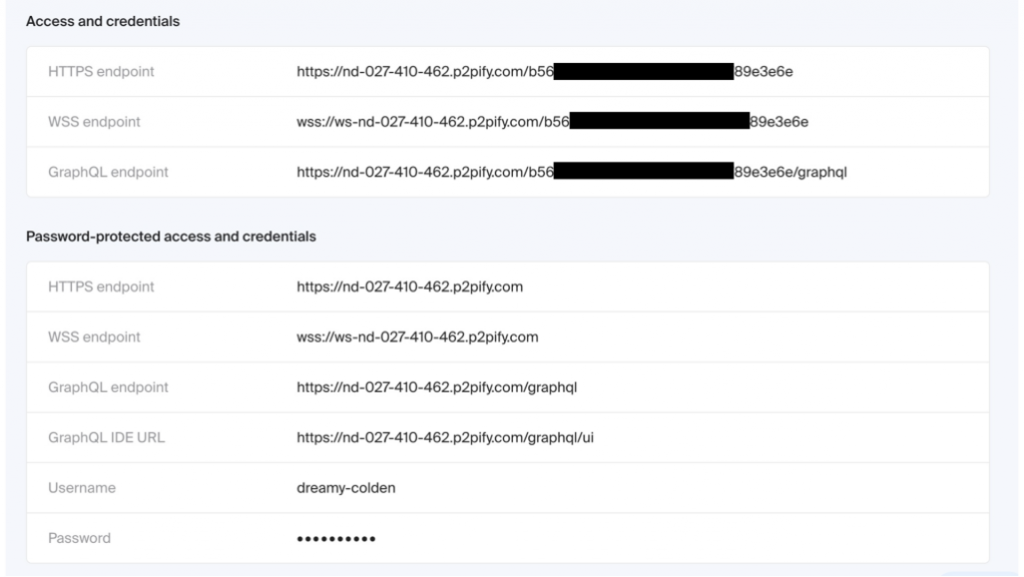
How it works
In GraphQL IDE
Geth comes with a native GraphQL IDE, users can access it at the following URL:
https://**********/graphql/ui
All you need to do is fill in the query and click the run button.

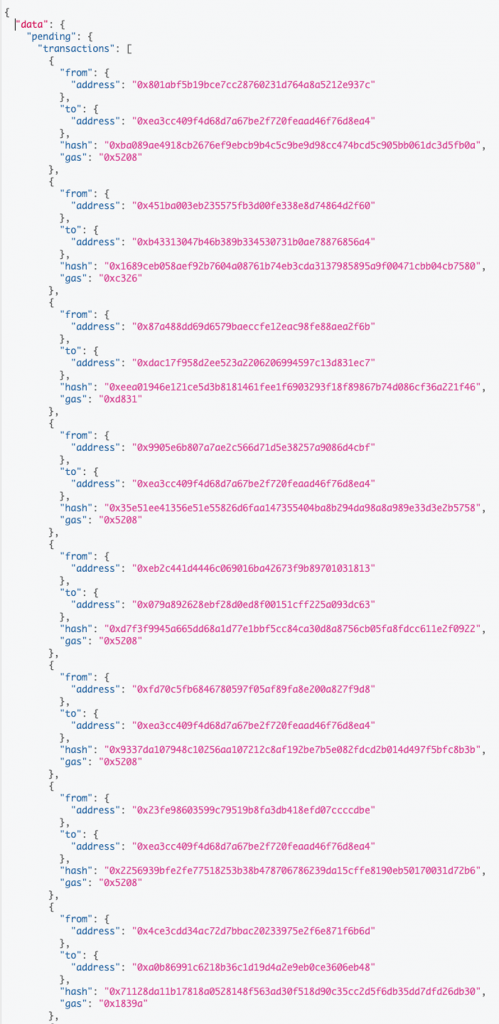
You will get a list of pending transactions in the result panel:
With JavaScript
Create an empty HTML file and paste the following code into it.
<html>
<header>
    <script src="https://ajax.googleapis.com/ajax/libs/jquery/3.6.0/jquery.min.js"></script>
</header>

<body>
    <div class="result"></div>
</body>
<script>
    //Fill in your httpURL and graphQLURL here
    var httpURL = ""
    var graphQLURL = ""

    var startTime = new Date().getTime()

    console.log("Program start timestamp:" + startTime)
    var dataGraphQL = '{"query": "query{pending{transactions{hash,gas,s,r}}}"}'
    $.ajax({
        type: "POST",
        contentType: "application/json",
        url: graphQLURL,
        data: dataGraphQL,
        success: function(res) {
            resultTime = new Date().getTime() - startTime
            console.log("graphQL gets result in " + resultTime + "ms")

            $(".result").text(JSON.stringify(res));
            console.log(res);
        }
    });

    var dataRPC = '{"jsonrpc":"2.0","method":"txpool_content","id":1}'
    $.ajax({
        type: "POST",
        contentType: "application/json",
        url: httpURL,
        data: dataRPC,
        success: function(res) {
            resultTime = new Date().getTime() - startTime
            console.log("RPC gets result in " + resultTime + "ms")
            console.log(res);
        }
    });
</script>
</html>
Remember to fill in the URL for both http and graphQL endpoints at line 11.

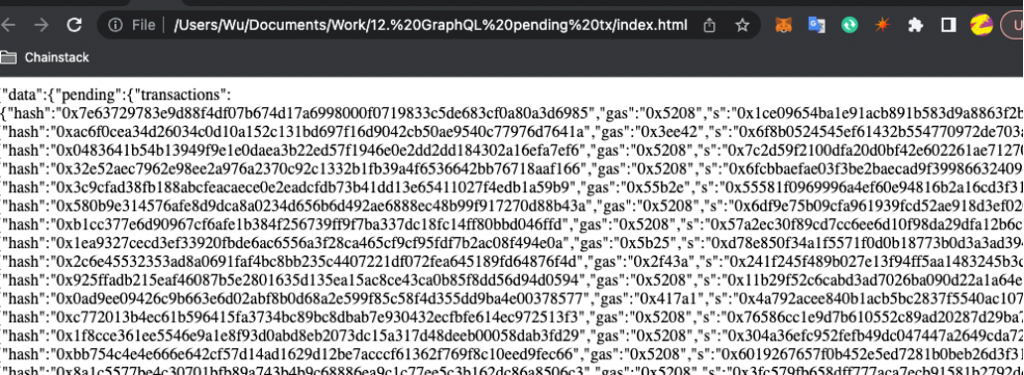
Open the HTML file with any browser to see its output:
Measuring the performance
The above JavaScript code also measures the latency of data retrieval. You need to open the developer console to see it.

Comparing latency for 7 rounds.
| GraphQL query time(ms) | RPC query time(ms) | RPC/GraphQL*100% |
| 813 | 1317 | 161.99% |
| 891 | 1499 | 168.24% |
| 3731 | 4281 | 114.74% |
| 581 | 1176 | 202.41% |
| 3053 | 3624 | 118.70% |
| 419 | 1025 | 244.63% |
| 1735 | 2540 | 146.40% |

Overall, GraphQL takes 60% of the time for data loading. The response object is only 40% in size compared to an RPC endpoint.
Please also take note that:
- In the test case, the RPC endpoint not only returns the pending transactions but also queue transactions.
- GraphQL does not retrieve the full object. It only contains four fields: hash, gas, s, and r.
GraphQL is more resource effective because users can specify which fields to retrieve.
Conclusion
This is the end of this article. If you have any questions, feel free to ping us on our Telegram and Discord.
Cheers!
Happy coding.
- Discover how you can save thousands in infra costs every month with our unbeatable pricing on the most complete Web3 development platform.
- Input your workload and see how affordable Chainstack is compared to other RPC providers.
- Connect to Ethereum, Solana, BNB Smart Chain, Polygon, Arbitrum, Base, Hyperliquid, Robinhood Chain, Arc, Tempo, MegaETH, Monad, Plasma, Avalanche, Optimism, Aptos, Cronos, Gnosis Chain, Moonbeam, Celo, Aurora, TON, Ronin, and Bitcoin mainnet or testnets through an interface designed to help you get the job done.
- Fast access to blockchain archive data and gRPC streaming on Solana.
- To learn more about Chainstack, visit our Developer Portal or join our Telegram group.
- Connect your AI agent to Chainstack in seconds using Chainstack MCP — give Claude, Cursor, Codex, Gemini, and Windsurf live access to blockchain data, node management, and docs.
- Are you in need of testnet tokens? Request some from our faucets. Sepolia faucet, Base Sepolia faucet, Solana devnet faucet, Hoodi faucet, BNB faucet, zkSync faucet, Robinhood Chain faucet, Hyperliquid faucet, Monad faucet, Amoy faucet, Plasma faucet, TON faucet.
Have you already explored what you can achieve with Chainstack? Get started for free today.