


 AI-ready infrastructure
 Refer and earn


 Ethereum
 Hyperliquid
 Solana
 BNB Smart Chain
 Base
Base Polygon
 TRON
TRON Sui
Sui Robinhood


 SOC 2 Type II
 ISO 27001
 99.99%+ uptime
Optimized submission
Send Arbitrum mainnet transactions through a private, optimized path to reduce inclusion delays. Works with your existing HTTPS and WebSocket endpoints.
Available on every plan
 Learn more
Free
Read pool state, simulate trades, and send transactions with reliable, high-performance Arbitrum One RPC infrastructure.

















Connect to Arbitrum One through one geo-balanced endpoint. Read pool state, follow contract events, and submit transactions through the nearest available region, with no manual routing or extra setup.

Submit transactions, query historical state, trace Nitro execution, and scale DeFi workloads with one Arbitrum development stack.
Send Arbitrum mainnet transactions through a private, optimized path to reduce inclusion delays. Works with your existing HTTPS and WebSocket endpoints.

Scale high-volume RPC workloads with consistent performance, unlimited requests within your RPS tier, and predictable monthly costs.

Query past ETH balances, token balances, pool state, and contract storage. Backfill Arbitrum history for DeFi analytics, portfolio reporting, and reconciliation.

Inspect Nitro transactions with debug_traceTransaction and debug_traceCall. Diagnose reverted swaps, inspect internal calls, and investigate smart contract behavior.

Read liquidity pools, simulate swaps with eth_call, and submit signed transactions. Build bots and dashboards around Arbitrum markets such as GMX, Pendle, and Camelot.
Explore Arbitrum developer tools (opens in a new tab)
Backfill contract events with eth_getLogs and query historical state through archive RPC. Track positions, vault activity, and transaction histories for analytics.
Explore Arbitrum archive data (opens in a new tab)
Read ETH and ERC-20 balances, check allowances, and follow transaction receipts. Connect ethers.js, viem, or web3.py to Arbitrum One or Sepolia.
Get an Arbitrum RPC endpoint
Monitor token transfers, reconcile account balances, and verify contract execution. Build reliable data pipelines for tokenized assets, treasury tools, and stablecoin payments.
Explore Arbitrum infrastructure for RWA (opens in a new tab)
Deploy an Arbitrum endpoint through Chainstack MCP. Give agents access to contract reads, transaction simulations, and signed transaction submission.
Explore Chainstack AI tools (opens in a new tab)Run Arbitrum One indexers, DeFi backends, and tokenized-asset applications on isolated compute and storage. Choose full or archive infrastructure, with Chainstack managing deployment, upgrades, and Nitro node maintenance. Discuss custom Stylus tracing with our team for Enterprise deployments.
Select Arbitrum One mainnet or Sepolia and choose full or archive mode to see current monthly infrastructure pricing.

Save over 50% on our elite pay as you go plan
 Chat on Telegram (opens in a new tab)
Feedback from teams using Arbitrum and multichain infrastructure for security, wallets, analytics, and trading.
 Chainstack’s robust infrastructure has significantly enhanced our ability to secure Web3 environments effectively.Chainstack has been crucial in enhancing Brave Wallet’s multi-chain functionality and UX.The Unlimited Node flat-fee model gives us cost predictability, and the performance is rock-solidChainstack’s custom gateway and Global Nodes have made a stellar impact on our operational efficiencyWe’ve gone from weekly incidents to zero incidents.
Compare Chainstack’s Arbitrum RPC response times and request success rates against other providers across Europe, the US, and Asia. Explore P50, P95, and P99 latency in Chainstack Compare.
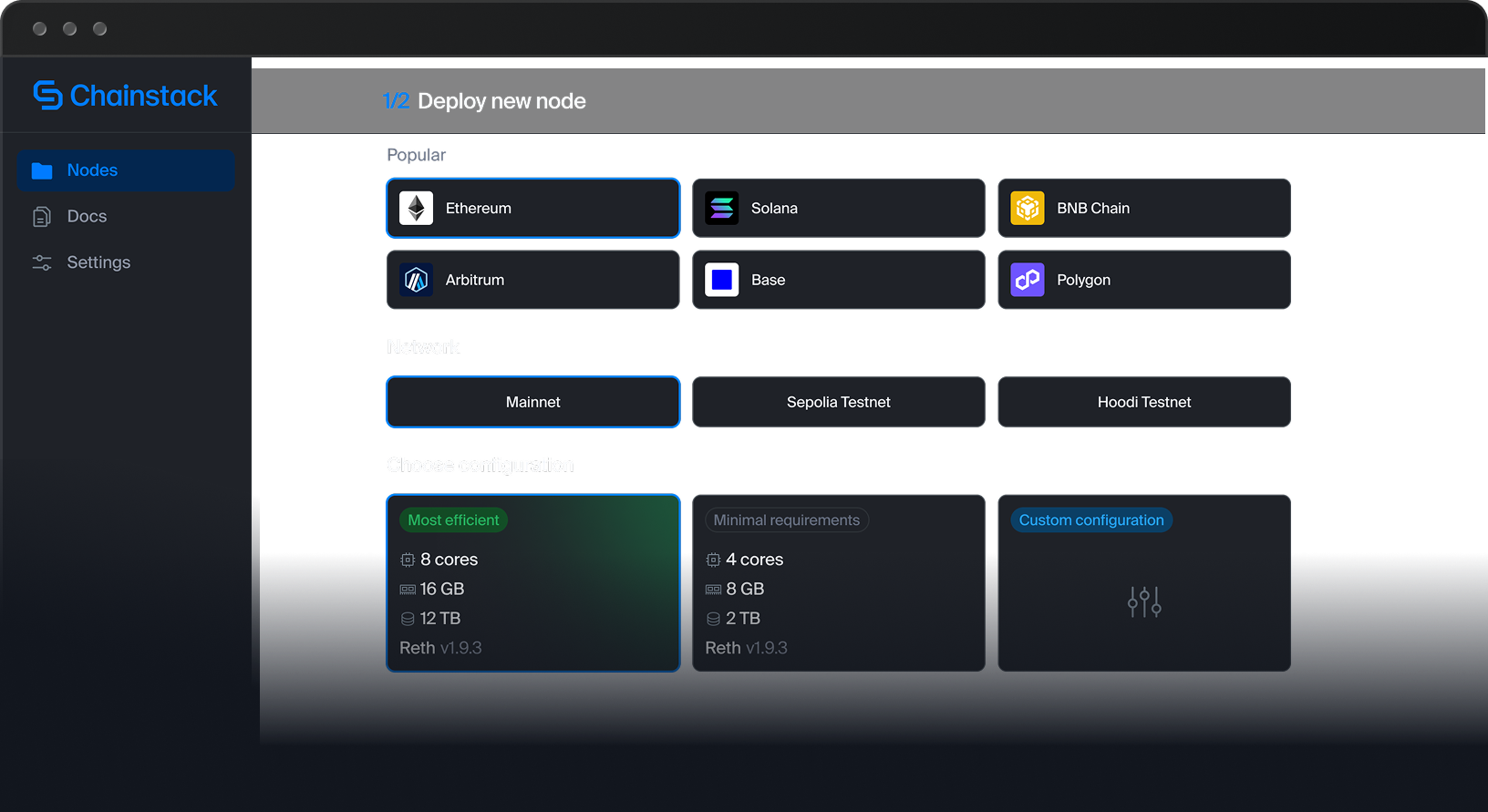
Compare Arbitrum RPC providers (opens in a new tab)Run Arbitrum One mainnet or Sepolia nodes on infrastructure you control. Deploy Nitro through Chainstack Self-Hosted, with monitoring, automated updates, and self-healing operations. Connect an Ethereum execution and beacon endpoint for the matching parent network.




Get free Ethereum Sepolia ETH from the Chainstack faucet, then bridge it to Arbitrum Sepolia through the official Arbitrum bridge. Use your Arbitrum Sepolia RPC endpoint to deploy contracts, simulate swaps, and test transactions with ethers.js, viem, Hardhat, or Foundry.
The Chainstack Sepolia faucet tops up eligible wallets to 0.5 Sepolia ETH every 24 hours. Bridge part of that test ETH to Arbitrum Sepolia and keep some on Sepolia for the bridge transaction fee.
Start with free Arbitrum RPC for One mainnet and Sepolia. Scale DeFi applications with archive data, transaction tracing, and dedicated infrastructure.
Includes:
All Developer features, plus:
Add-ons and Dedicated Node infrastructure are billed separately.
 Exceptional support on every paid plan
Explore Arbitrum RPC providers, tokenized-asset infrastructure, endpoint setup, and L2 comparisons.
Compare Arbitrum RPC providers for DeFi and production workloads.
Read article
Choose Arbitrum infrastructure for tokenized assets and financial applications.
Read article
Deploy an Arbitrum One or Sepolia endpoint and connect your application.
Read article
Compare Arbitrum and Optimism for production RPC workloads.
Read article
An Arbitrum RPC endpoint is a URL your application uses to read blockchain data and submit signed transactions. Chainstack provides HTTPS JSON-RPC and WebSocket endpoints for Arbitrum One mainnet and Arbitrum Sepolia testnet. Use them for contract reads, event logs, balances, gas estimation, and transaction receipts.
Create a free Chainstack account, create a project, and deploy an Arbitrum node on mainnet or Sepolia. Open Access and credentials and copy the HTTPS or WebSocket endpoint. Add the URL to your wallet, SDK, or development framework.
Yes. The Developer plan includes 3 million request units per month, one node, and an overall limit of 25 requests per second, with no credit card required. WebSocket access and mainnet optimized submission are included. Individual methods have additional limits. Transactions still require ETH for gas.
Arbitrum One mainnet uses chain ID 42161. Arbitrum Sepolia testnet uses chain ID 421614. Both use ETH for gas, but Sepolia uses test ETH. Configure your application with the endpoint and chain ID for the same network. ARB is a governance token, not the gas token on these networks.
The public Arbitrum One RPC URL is https://arb1.arbitrum.io/rpc. Arbitrum documents it as a best-effort endpoint without uptime, latency, or rate-limit guarantees, and its public RPC does not provide WebSocket support. A Chainstack endpoint provides authenticated HTTPS and WebSocket access, plan-based usage allowances, and options for archive data, tracing, and dedicated infrastructure.
Global Nodes provide managed, geo-balanced Arbitrum RPC access with automatic routing. Dedicated Nodes reserve compute and storage for your workload and support deployment-specific configurations. Dedicated Nodes are available from the Pro plan, with infrastructure billed separately.
Chainstack supports Arbitrum WebSocket subscriptions for new blocks and contract event logs. Arbitrum does not have an Ethereum-style public mempool, so do not build a pending-transaction strategy around a public mempool feed. The Arbitrum sequencer feed is a separate service from your Chainstack JSON-RPC WebSocket endpoint.
Optimized submission routes Arbitrum One mainnet eth_sendRawTransaction calls through a private, optimized path designed to reduce inclusion delays. It is available on Global Nodes on every plan, including Developer, and is enabled by default for new nodes. If that path fails, submission falls back to the standard node route. It does not guarantee transaction inclusion.
Use an Arbitrum archive node when you need balances, smart contract storage, or contract-call results at historical blocks. Typical workloads include DeFi analytics, portfolio reconstruction, backtesting, and financial reconciliation. Archive data is available starting from the Growth plan. Archive access does not mean unlimited request usage.
Yes. Paid Arbitrum deployments support Debug & Trace APIs. Use debug_* methods for Nitro blocks from block 22,207,815 onward, and arbtrace_* for older, pre-Nitro blocks. Arbitrum does not expose Ethereum’s trace_* namespace. Use stylusTracer with debug_traceTransaction on customized Enterprise Dedicated Nodes to inspect Stylus contract execution. Historical traces require the corresponding historical state.
Yes. The Unlimited Node add-on provides unlimited request volume within your selected requests-per-second tier for a fixed monthly add-on fee. It is available starting from the Growth plan. Unlimited does not mean unlimited requests per second. Your subscription and other add-ons are billed separately.
Yes. Chainstack Self-Hosted supports Nitro nodes for Arbitrum One mainnet and Arbitrum Sepolia on infrastructure you control. Provide Ethereum execution and beacon endpoints for the matching parent network. Follow the installation guide to configure your deployment. The software is free; you provide and pay for the infrastructure.
Get Ethereum Sepolia ETH from the Chainstack Sepolia faucet, then use the official Arbitrum bridge to move test ETH to Arbitrum Sepolia. The faucet tops eligible wallets up to 0.5 Sepolia ETH every 24 hours. Keep some ETH on Ethereum Sepolia to pay for the bridge transaction. Connect your application to Arbitrum Sepolia, chain ID 421614. Test ETH has no monetary value.
No. Arbitrum One, Arbitrum Nova, and individual chains built with the Arbitrum stack have separate endpoints and chain IDs. This page covers Chainstack access to Arbitrum One and Arbitrum Sepolia. Use an endpoint for the specific network your application needs; an Arbitrum One endpoint does not provide access to every Arbitrum-based chain.
Connect your application to a Chainstack Arbitrum HTTPS endpoint to read ETH and token balances, call smart contracts, retrieve event logs, estimate gas, and submit signed transactions. Common methods include eth_getBalance, eth_call, eth_getLogs, eth_estimateGas, and eth_sendRawTransaction. Use WebSocket eth_subscribe subscriptions for new blocks and contract logs. Arbitrum One uses chain ID 42161; Arbitrum Sepolia uses 421614. Both use ETH for gas.
Integrate your endpoint with ethers.js or viem for JavaScript and TypeScript, web3.py for Python, and Hardhat or Foundry for contract development. See the Arbitrum API reference and Arbitrum tooling guide for supported methods and integration examples.
Arbitrum Nitro uses debug_* methods for blocks from 22,207,815 onward, while arbtrace_* methods apply to pre-Nitro blocks. The Ethereum trace_* namespace is not available. Customized Enterprise Dedicated Nodes can expose stylusTracer for Stylus execution traces. Check the Arbitrum methods reference before choosing a tracing method. Arbitrum’s sequencer feed is separate from standard JSON-RPC WebSocket subscriptions.





 View installation guide