Ethereum
 Solana
 Hyperliquid
 Arbitrum
 Base
Base BNB Smart Chain
 MegaETH
 Tempo
Tempo Avalanche
 Aptos
Aptos TRON
TRON Ronin
Ronin zkSync Era
 Optimism
 Sonic
Sonic Polygon
 Unichain
 Fantom
 Gnosis Chain
 Sui
Sui Avalanche Subnets
 Polygon CDK
 Starknet Appchains
 zkSync Hyperchains




 Refer and earn
 Discord
 Telegram
 X (Twitter)
Solana Token-2022 utility extensions

Historically, the SPL token standard was incredibly simple. It did exactly one thing: manage a generic u64 integer. If a protocol needed anything more complex like royalties, KYC whitelists, vesting schedules, or privacy, developers had to write custom wrapper smart contracts. They had to spin up external PDAs, force users to route transactions through proprietary programs, and execute Cross-Program Invocations (CPIs) just to mutate basic state.
This fragmented liquidity, broke composability across DeFi, and multiplied smart contract attack vectors.
Solana Token-2022 flips this architecture on its head. By pushing custom logic directly into the Mint and the Token Account via Type-Length-Value (TLV) extensions, the asset itself becomes smart. The L1 runtime handles the complexity natively, allowing decentralized exchanges, lending markets, and automated market makers to interact with heavily customized tokens without needing to trust or audit a third-party wrapper contract.
But Token-2022 is not just about massive, complex upgrades like Zero-Knowledge proofs. The standard also ships with a suite of lightweight, “utility” primitives designed to solve everyday enterprise, compliance, and UX issues.
In this final installment of our Solana Token-2022 series, we are going to close out the toolkit. We will break down the smaller, highly effective extensions that every Solana developer needs in their arsenal: Permanent Delegates, Non-Transferable tokens, Default Account States, and Required Memos.
Token-2022 Permanent Delegate Extension
In the legacy SPL standard, there is a strict cryptographic boundary: Only the Token Account Owner can transfer or burn the tokens inside their wallet. The Mint Authority only has the power to create new tokens. Once those tokens land in a user’s wallet, the protocol loses all control over them. If you are building a stablecoin and need to comply with OFAC sanctions by clawing back funds from a hacked wallet, you are out of luck. If you are building an automated subscription service and need to deduct tokens every month, you have to force the user to sign a pre-approved delegation transaction which is a massive UX friction point.
Token-2022 solves this by introducing the Permanent Delegate extension.
This extension allows the token creator to designate a specific public key at the Mint level that has unrestricted, permanent transfer and burn rights over every single token account holding that asset.
Hands-on: Permanent Delegate in practice
To truly understand how powerful this is, let’s test it live on Devnet. We are going to create a token with a Permanent Delegate, mint it to a user, and then watch the delegate reach in and burn the user’s tokens without their signature.
Create Token
You enable this extension and specify the delegate address during the initial Mint creation. Once set, the permanent delegate has “God Mode” over the token supply.
spl-token --program-id TokenzQdBNbLqP5VEhdkAS6EPFLC1PHnBqCXEpPxuEb create-token --enable-permanent-delegate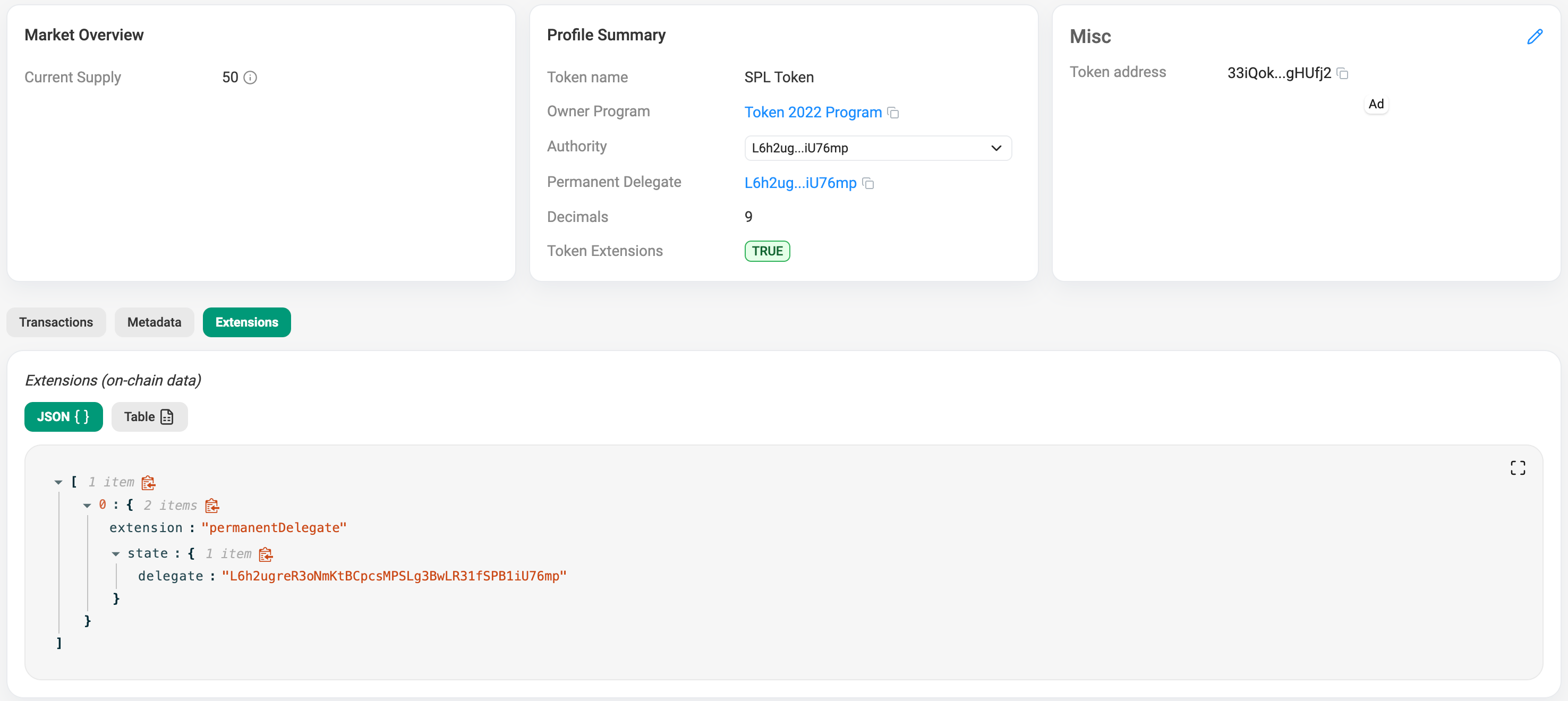
We can see the created PermanentDelegate extension for our token.
Mint Token To Someone
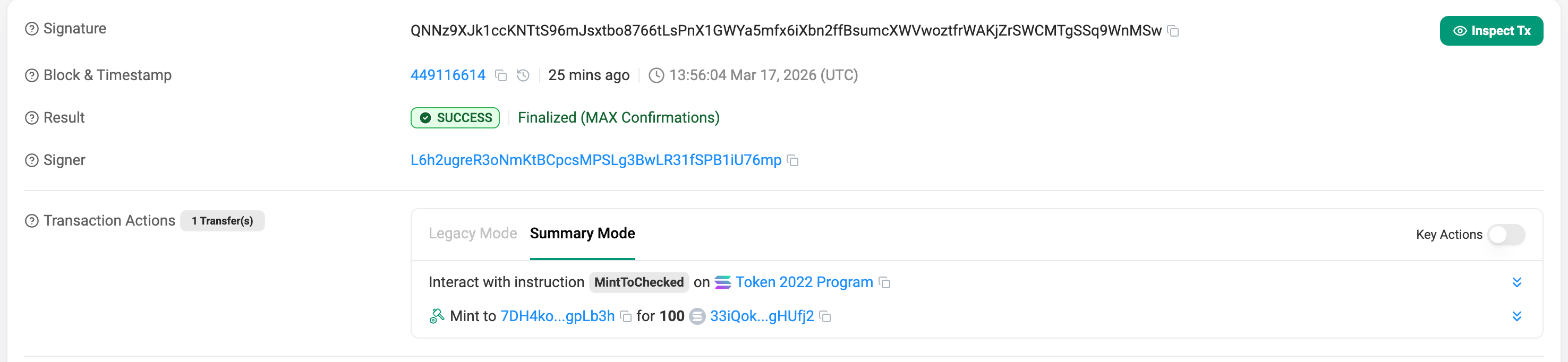
Create token account for someone’s wallet and mint 100 tokens to him.
# create token account for someone
spl-token create-account <MINT_ADDRESS> --owner <SOME_WALLET> --fee-payer ~/.config/solana/id.json
# mint 100 tokens to someone's Token Account
spl-token mint <MINT_ADDRESS> 100 <SOME_WALLET_TOKEN_ACCOUNT>
Burning Tokens With the delegate address
Right now, someone holds 100 tokens. In legacy SPL, only this address could touch them. But because we established a Permanent Delegate on our address, we can reach directly into this wallet’s account and burn 50 tokens.
spl-token burn <SOMEONE_TOKEN_ACCOUNT> 50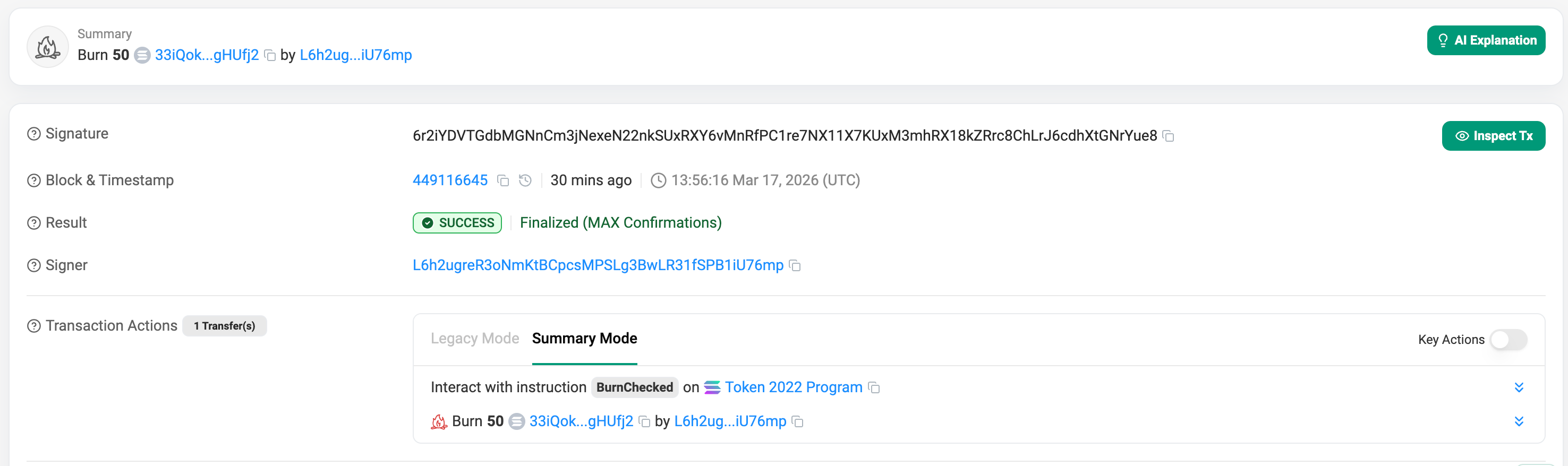
The transaction succeeds. The Token-2022 program checks the Mint, sees that We are the Permanent Delegate, bypasses Someone’s wallet ownership authority entirely, and burns the tokens.
This primitive is incredibly powerful on its own, but it unlocks a massive architectural design pattern when paired with next extension.
Token-2022 Non-Transferable Tokens Extension
Sometimes, you need a guarantee that a user cannot sell, trade, or transfer an asset once it lands in their wallet.
Historically, developers achieved this using a standard NFT mint to a user and immediately issue a Freeze instruction to lock the token account. This worked, but it was fragile. It required the issuer to maintain freeze authority, pay external protocol fees, and if they ever accidentally unfroze the account, the user could immediately dump the “identity” token on a secondary marketplace.
Solana Token-2022 completely replaces this legacy NFT use-case with the Non-Transferable extension. It makes immobility a fundamental law of the Mint itself. The L1 base layer will permanently reject any Transfer instruction involving this token.
Hands-on: Non-Transferable tokens in practice
To create a Non-Transferable token, you must apply the flag during the initial Mint creation. Once the Mint is initialized, this extension is permanently baked into the asset and cannot be disabled.
spl-token --program-id TokenzQdBNbLqP5VEhdkAS6EPFLC1PHnBqCXEpPxuEb create-token --enable-non-transferableNote: You can mint this token to your users exactly like a normal SPL token. The restriction only applies when they try to send it somewhere else
Let’s say some address holds 100 of these tokens and tries to transfer it to another wallet.
spl-token transfer 7b7FYYVpa5xgTS3PCHAU6ZBDjD1NbwZcKCqYcMmArj4n 50 L6h2ugreR3oNmKtBCpcsMPSLg3BwLR31fSPB1iU76mpOutput
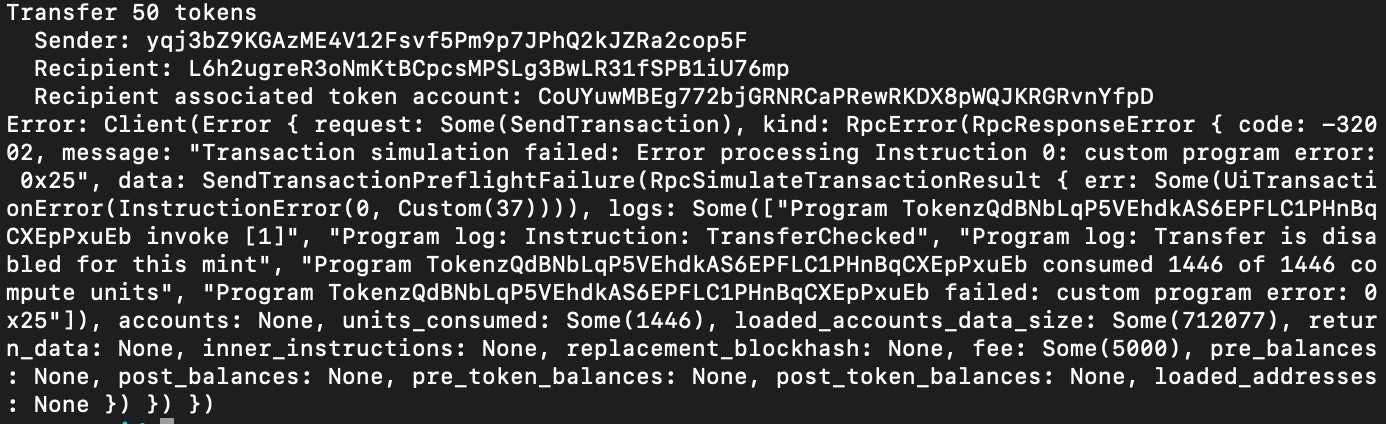
The Result: Hard Fail. The transaction will instantly revert at the protocol level with a Transfer is disabled for this mint custom program error.
Architecture 1: Native L1 Soulbound Badges
When developers hear “Non-Transferable,” they almost exclusively think of 1-of-1 NFTs. For example, issuing an on-chain graduation certificate for a developer bootcamp or a KYC verification badge.
By combining the Metadata extension (which we covered here) with 0 Decimals and the Non-Transferable extension, you can mint native, beautifully rendered L1 “Soulbound Badges” without ever touching a third-party standard.
Architecture 2: On-Chain Consumables
But the real magic happens when you apply the Non-Transferable extension to a Fungible token (for example with 9 decimals) and combine it with the Permanent Delegate we just built previously.
This creates the perfect architecture for On-Chain Consumables or Prepaid Credits. Imagine an RPC node provider, a decentralized AI compute network, or an in-game economy. A user buys 1,000 API credits.
- Because the tokens are Non-Transferable, you guarantee the user cannot create an AMM liquidity pool to dump their unused credits and crash your internal economy. They can only hold them.
- Because your protocol backend holds the Permanent Delegate key, your server can automatically execute a
Burninstruction to destroy tokens directly from the user’s wallet every time they make an API call.
The user gets transparent, on-chain accounting of their prepaid credits, and the protocol gets absolute economic security without sacrificing UX.
Example
spl-token --program-id TokenzQdBNbLqP5VEhdkAS6EPFLC1PHnBqCXEpPxuEb create-token --enable-permanent-delegate --enable-non-transferable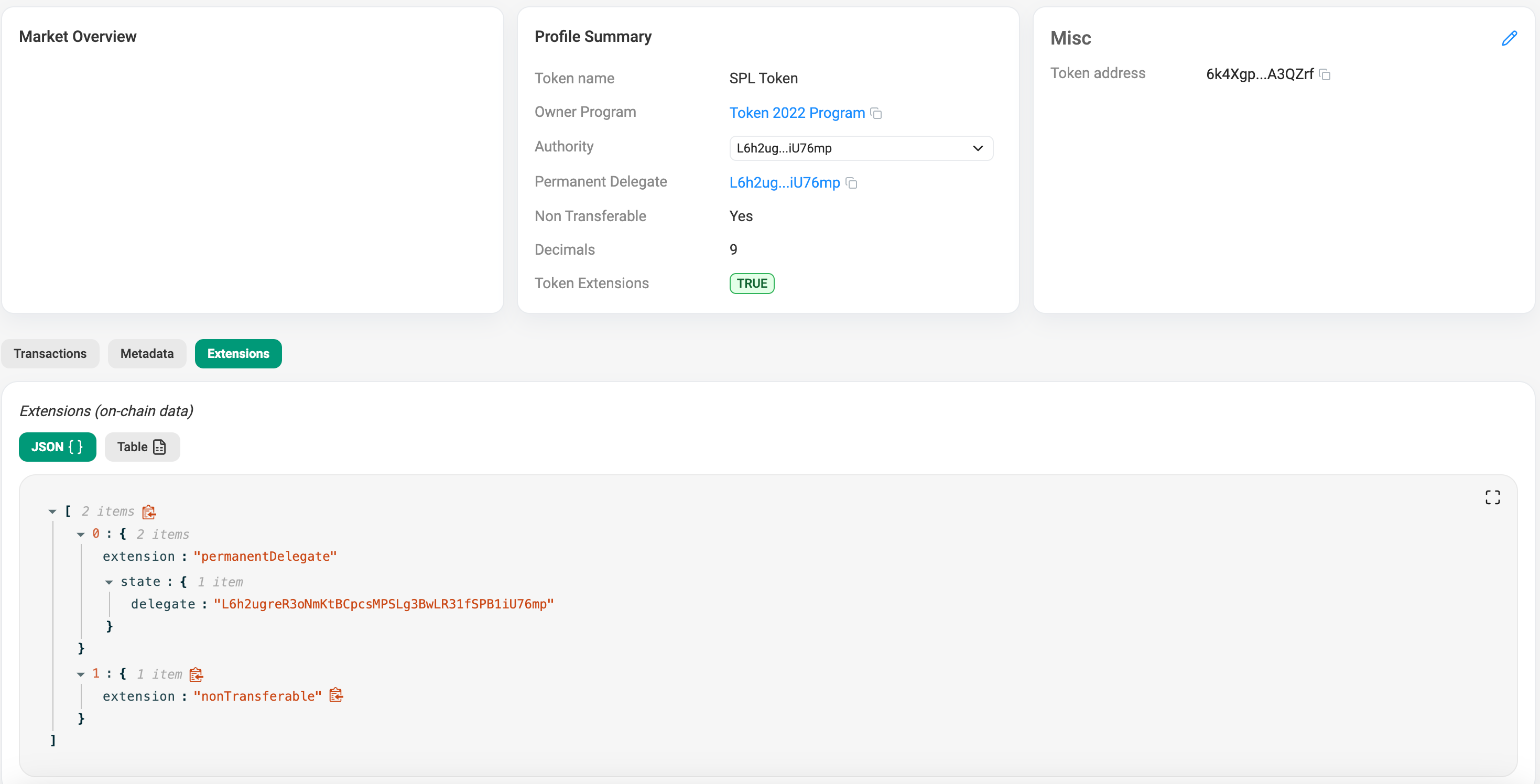
What about manual burning?
A common developer assumption is that “non-transferable” means the token is permanently stuck in the user’s wallet forever. This is a massive UX risk what if a user receives a malicious or spam soulbound token and wants to clean up their wallet?
Non-transferable does not mean non-burnable. Even though the base layer blocks the Transfer instruction, the Solana Token-2022 program still allows the account owner to execute a standard Burn instruction. Users always retain the ultimate authority to destroy assets in their own wallets to prevent permanent spam.
Token-2022 Default Account State Extension
If you are building a regulated protocol like an enterprise stablecoin, a real estate RWA (Real World Asset), or a strict KYC ecosystem, you need absolute control over who can hold and move your token.
By configuring this extension at the Mint level, you can force the L1 runtime to automatically initialize every single new Token Account in a Frozen state. Users can create their accounts to receive the asset, but they cannot send or receive tokens until your backend server verifies their KYC status and explicitly unfreezes their specific account.
Hands-on: Default account state in practice
To use this, you must apply the --default-account-state frozen flag during Mint creation. Because you will eventually need to unfreeze compliant accounts, you must also stack the --enable-freeze flag so your protocol retains the Freeze Authority.
# Create a compliance-gated Mint
spl-token --program-id TokenzQdBNbLqP5VEhdkAS6EPFLC1PHnBqCXEpPxuEb create-token --default-account-state frozen --enable-freeze
Output
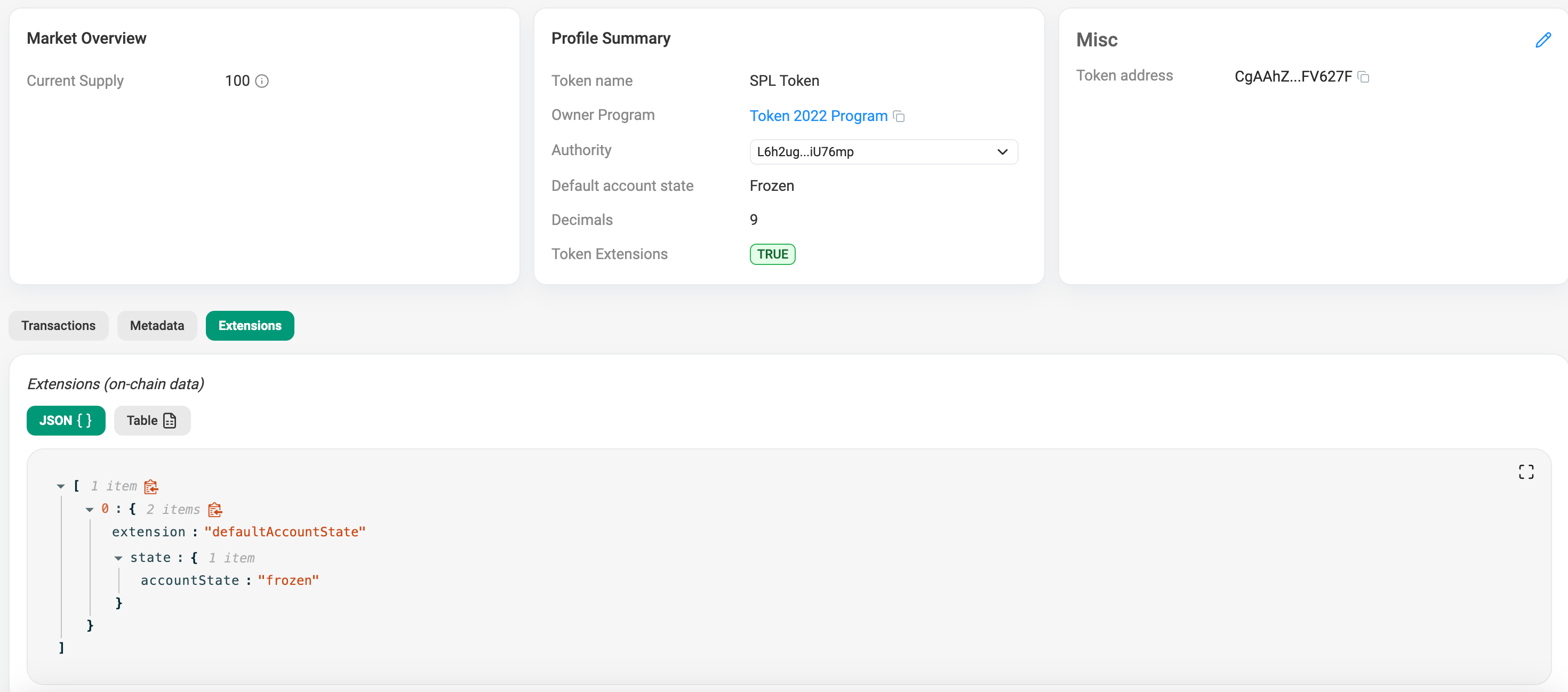
If someone creates an account for this token, it is frozen the millisecond it is initialized. Any incoming or outgoing transfers will revert until your protocol explicitly thaws their account.
Lets say that now someone creates his own token account and did not submit all the required data to our backend server, and our automated system accidentally tries to mint to this token account
spl-token mint <MINT_ADDRESS> 100 <SOME_TOKEN_ACCOUNT>Output
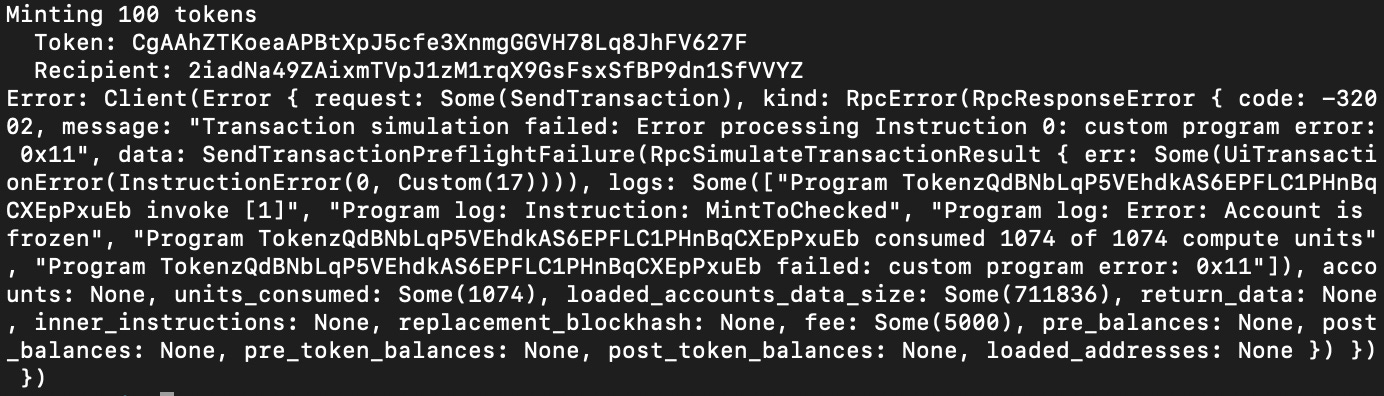
It will fail with “account is frozen“ error. The transaction reverts perfectly at the runtime level. The Token-2022 program recognizes that this account is completely locked. It cannot receive incoming mints or transfers, and it cannot send tokens out.
Now lets say that this user submitted all the required data. Our backend verifies the identity and executes a Thaw instruction to unlock her specific Token Account.
spl-token thaw <SOME_TOKEN_ACCOUNT>Output

Now that this user is legally verified and the account is thawed, Our backend tries the exact same mint command again.
spl-token mint <MINT_ADDRESS> 100 <SOME_TOKEN_ACCOUNT>Output
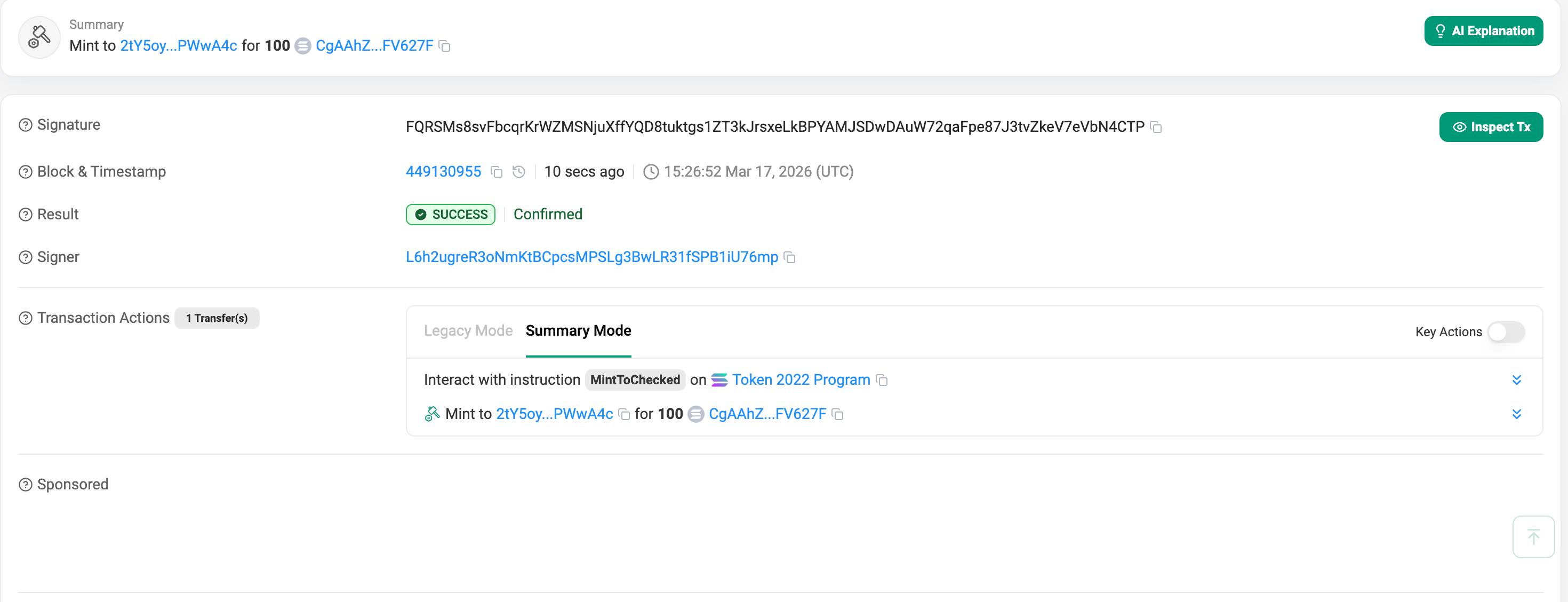
The Result: Success. This user receives the 100 tokens, fully compliant with the protocol’s L1 rules.
Token-2022 Memo Transfer Extension
If you have ever deposited tokens into a centralized exchange (CEX – centralized exchange), you know the panic of forgetting the “Deposit Memo.”
Because exchanges use massive, shared omnibus wallets to collect user deposits, they rely on attached text memos to map an incoming L1 transfer to a specific user’s database ID. The Required Memo on Transfer extension solves this at the protocol level.
Unlike the previous extensions we discussed, this is an Account Extension, not a Mint extension. It is applied by the owner of the Token Account, not the creator of the token.
Hands-on: Memo transfer in practice
Let’s say your protocol’s treasury wallet (Alice) wants to ensure that no one can blindly dump tokens into her account without explaining what the transfer is for. Alice simply enables the extension on her specific Token Account.
# Alice enforces memos on her own Token Account
spl-token enable-required-transfer-memos <ALICE_TOKEN_ACCOUNT_ADDRESS>
Output On Explorer
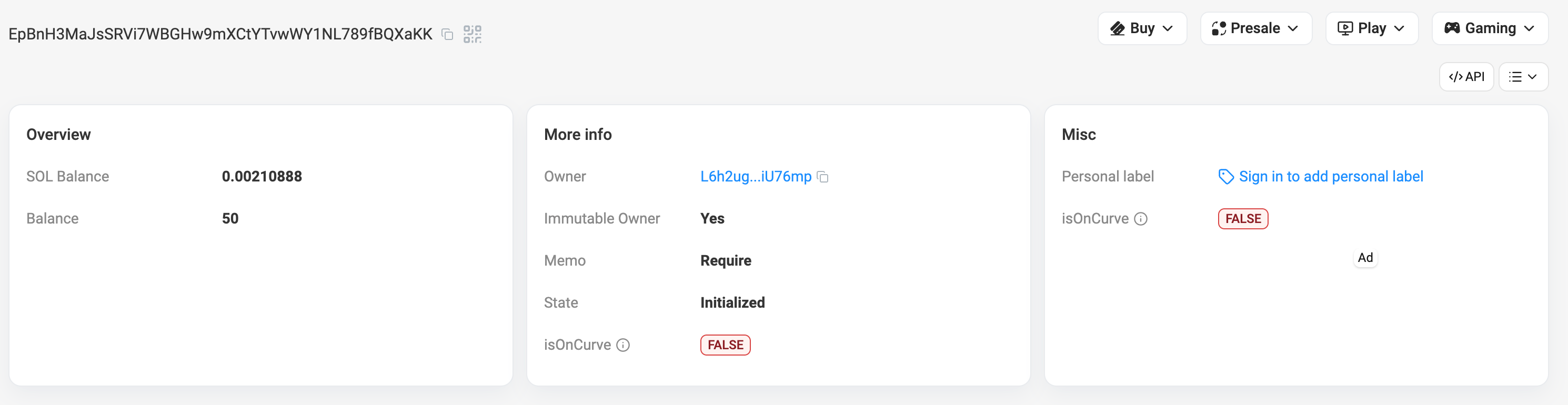
Now we see that the Memo is Required, if someone tries to run a standard transfer command to Alice’s account:
spl-token transfer <MINT_ADDRESS> 50 <ALICE_TOKEN_ACCOUNT_ADDRESS>Output

The Result: Hard Fail. The transaction reverts at the runtime level because the destination account requires a memo, and none was provided.
To successfully send tokens to Alice, the sender is now mathematically forced to attach a memo string to the transaction instruction:
# The sender must explicitly attach the memo for the transaction to succeed
spl-token transfer <MINT_ADDRESS> 50 <ALICE_TOKEN_ACCOUNT_ADDRESS> --with-memo "Invoice payment for Q3 RPC node hosting"
Output

Summary
Over the course of this series, we have covered Metadata, Transfer Hooks, Interest-Bearing Mints, Confidential Transfers, and finally, the core Utility Primitives.
If there is one major takeaway for developers, it is that the this blog’s architecture is no longer just a theory it is the standard. Solana Token-2022 shifts complex, vulnerable logic out of custom smart contracts and pushes it natively into the L1 asset itself.
By stacking these extensions, you can build a stablecoin that natively yields interest, shields transfer amounts with Zero-Knowledge proofs, automatically freezes non-compliant accounts, and blocks unknown deposits, all without writing or deploying a single line of Rust.
The standard is here. It is time to start building.
Reliable Solana RPC infrastructure
Getting started with Solana on Chainstack is fast and straightforward. Developers can deploy a reliable Solana node within seconds through an intuitive Console — no complex setup or hardware management required.
Chainstack provides low-latency Solana RPC access and real-time gRPC data streaming via Yellowstone Geyser Plugin, ensuring seamless connectivity for building, testing, and scaling DeFi, analytics, and trading applications. With Solana low-latency endpoints powered by global infrastructure, you can achieve lightning-fast response times and consistent performance across regions.
Start for free, connect your app to a reliable Solana RPC endpoint, and experience how easy it is to build and scale on Solana with Chainstack – one of the best RPC providers.
FAQ
Token-2022 utility extensions are built-in token primitives that add practical controls to SPL tokens, such as permanent delegation, non-transferability, default frozen accounts, and required transfer memos.
The Permanent Delegate extension lets a designated address permanently transfer or burn tokens from any account holding that mint. It is useful for compliance workflows, clawbacks, and protocol-controlled burn mechanics.
The Default Account State extension lets a mint create new token accounts in a predefined state, such as frozen. This is useful for compliance-gated assets where accounts must be approved before they can receive or send tokens.
The Memo Transfer extension requires incoming transfers to include a memo. It is applied at the token account level and helps protocols or treasury accounts enforce transfer metadata at the runtime level.
Developers should use them when they need built-in compliance, account controls, or operational safeguards without building custom wrapper contracts. They are especially useful for enterprise assets, gated access, treasury controls, and regulated token flows.
They move common token logic into the base token standard, which improves composability, reduces custom smart contract risk, and makes advanced token behavior easier to integrate across wallets, DeFi apps, and infrastructure.
Learn more about Solana architecture from our articles
- Solana Token-2022 Metadata
- Where Token Metadata Lives on Solana
- SPL Token Program Architecture
- Architecture & Parallel Transactions
- Solana Interest-Bearing Tokens: Inside the Mint Extension
- Account Model and Transactions
- Anchor Accounts: Seeds, Bumps, PDAs
- Instructions and Messages
- Transaction, Serialization, Signatures, Fees, and Runtime Execution