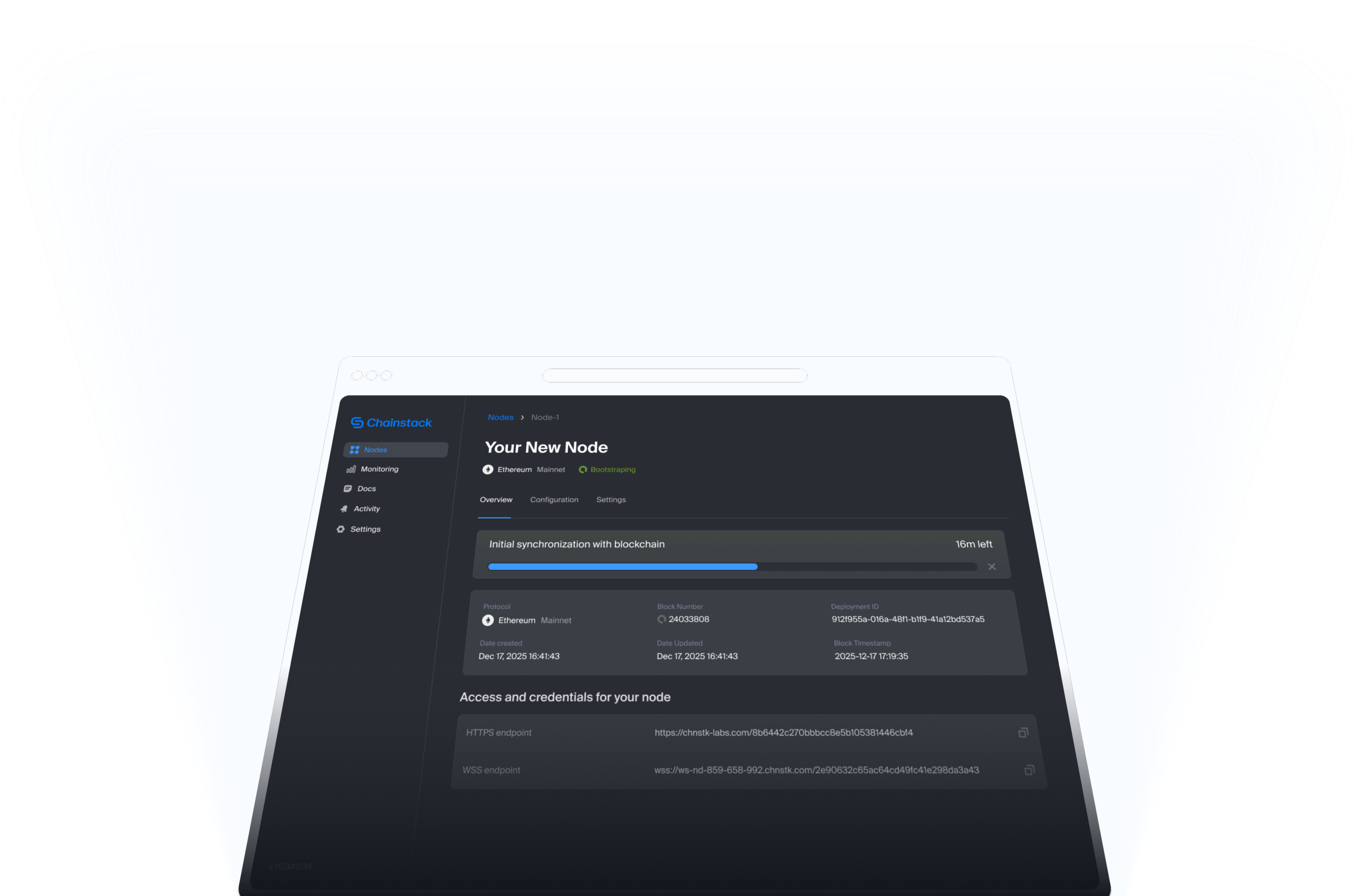
アップデート中や障害発生時も、ノードを止めずに使い続けられるようにします。アップデートが利用可能になると通知を受け取り、適用するタイミングも自分で決められます。フェイルオーバー先には、セカンダリノード、Chainstackの高性能RPCエンドポイント、または任意のエンドポイントを設定できます。





プロトコル、ネットワーク、およびnode のタイプを選択するだけで、数分でself-hosted (node )を起動できます。 適切な規模のnode 構成により、最適なパフォーマンスが確保され、スナップショットを使用することで初期同期時間を大幅に短縮できます。
信頼できるインフラパートナーを選んで、Chainstack Self-Hostedを運用できます
Chainstackは、分散化の力をより多くの人に届けるため、コミュニティと一緒にSelf-Hostedを育てています。ユーザーの声を取り入れながら、アップデートのたびにセルフホスティングを使いやすく改善。誰もがブロックチェーンを扱う取り組みに、ぜひ参加してください。

 まさに必要としていたものでした
複数チェーンのノードを簡単に管理できる
最初から必要な機能が揃ったインフラ
もう混乱に悩まされない
トップクラスのプロフェッショナルサポート
便利で使いやすい
稼働率は申し分ありません
 4.8/527件のレビュー

| 機能 | DIY | Chainstack Self-Hosted |
| インフラの所有 | ユーザー管理 | ユーザー管理 |
| デプロイプロセス | 手動セットアップとスクリプト作成 |
|
| 障害復旧 | 手動対応または独自ツール |
|
| フェイルオーバー構成 | 環境ごとの独自実装 |
|
| アップデートとメンテナンス | 手動アップグレードと調整 |
|
| 監視とアラート | 自前で構築した監視スタック |
|
| 本番環境までの時間 | 数日から数週間 |
|














Chainstack Self-Hosted is software for deploying, managing, and monitoring blockchain nodes on infrastructure you control. Run nodes on your own servers or cloud environment, with a web interface, deployment presets, and Kubernetes orchestration. Your team keeps control of the infrastructure and node data.
The Community edition is free. You pay for the servers or cloud resources you use, including storage and networking, directly through your infrastructure provider. Hosting costs depend on the blockchain, network, and capacity you choose. See Chainstack pricing for the current Self-Hosted offering.
Use a compatible Kubernetes environment on bare-metal servers, virtual machines, private cloud, or public cloud. Supported environments include k3s, Amazon EKS, Google GKE, and Azure AKS. You can provision your own infrastructure or choose one of our trusted infrastructure partners.
Prepare a compatible Kubernetes environment, install the Self-Hosted CLI, and deploy the Control Panel. Then use the node creation wizard to choose a blockchain, network, and deployment preset. The wizard configures the clients and starts deployment. Follow the Self-Hosted quick start for the installation steps.
Chainstack Self-Hosted supports full-node deployments for Ethereum, Bitcoin, Solana, Base, BNB Smart Chain, Hyperliquid, and other blockchains. Mainnet, testnet, client, and preset availability varies by protocol. Check the supported deployments for the current networks and configurations.
CPU, RAM, and storage requirements depend on the blockchain, network, and client. Allow resources for the Control Panel as well as each node. NVMe SSD storage is strongly recommended, and some snapshot deployments need additional storage during bootstrap. Use the system requirements to size your environment before ordering hardware.
Yes, provided the server has enough CPU, RAM, storage capacity, and disk performance for the Control Panel and every node. Size for the combined workload, including bootstrap requirements and future chain-data growth. Running several nodes on one server also means they depend on that server’s availability.
Starting a deployment and synchronizing it with the blockchain are separate steps. Snapshot bootstrap can complete in minutes to hours on supported deployments, followed by catch-up to the chain head. Other deployments sync conventionally. The time depends on the network, client, hardware, and connection; a Running status does not by itself mean the node is fully synchronized.
Open the node details in the Control Panel to find its connection endpoints. These initially use internal Kubernetes service addresses. For applications outside the cluster, expose the required service through a LoadBalancer, NodePort, or Ingress and configure access for your environment. See node endpoints and connection details.
Enable the integrated monitoring stack during installation to view node health, sync status, and infrastructure metrics in Grafana dashboards. It uses VictoriaMetrics and Chainstack’s blockchain node exporter. Kubernetes restarts failed pods; if the persistent node data is intact, the node can resume from its previous state. Learn more about Self-Hosted monitoring.
Use the Self-Hosted CLI to upgrade the Control Panel. The upgrade runs preflight checks, backs up configuration values, and presents a plan for confirmation. Running blockchain-node pods continue operating during a Control Panel upgrade. The upgrade guide covers the process and rollback behavior.
Visit the Chainstack help center for support resources, or use the Self-Hosted troubleshooting guide. When reporting an issue, include the software version, affected protocol and network, relevant logs, and steps to reproduce the problem.


 AI対応インフラ
 紹介して報酬を獲得


 Ethereum
 Hyperliquid
 Solana
 Arbitrum
 BNB Smart Chain
 Base
 Polygon
 TRON
 Sui
 ロビンフッド








 信頼できるパートナーになりましょう






 インストールガイドを見る




 カスタムフェイルオーバーロジック