


Avalanche has established itself as a high-performance blockchain for DeFi, payments,
and enterprise use cases, thanks to its fast finality, roughly two-second blocks, and
customizable subnet architecture. In 2026, it is increasingly used for stablecoin
settlement, gaming infrastructure, and regulated financial applications where reliability
is non-negotiable.
Quick verdict: best Avalanche RPC providers in 2026
Chainstack is our top pick for production Avalanche workloads, based on request-based pricing, published RPS tiers up to ~600 RPS on Business, SOC 2 Type II and ISO 27001 certification, and coverage of the Avalanche Primary Network (C-, X- and P-Chain). Chainstack publishes this page and is one of the listed providers, so see how we compared before relying on the ranking. The best fit by need:
- Best for predictable production pricing and compliance: Chainstack (request-based billing, Unlimited Node add-on, SOC 2 Type II + ISO 27001).
- Best for all three Avalanche chains plus archive access: OnFinality (C/P/X coverage, archive on every plan).
- Best for per-response billing: Dwellir (1 credit per response, C-Chain archive endpoint).
- Best for a large free credit allowance: Ankr (200M credits per month on the free tier).
- Best for extra developer tooling: Alchemy (Debug API and Webhooks on Avalanche, 100+ chains).
- Best for high shared-tier throughput with Streams and Webhooks: Quicknode (up to 500 RPS on Business).
Recent milestones highlight Avalanche’s growing adoption:
- Well over 3 billion transactions processed since mainnet launch (September 2020)
- Stablecoin transfer volume more than doubled in 2025, a new annual high
- Native USDC integration with Circle for seamless stablecoin settlement
- Growing institutional adoption, with major enterprises deploying subnets for
regulated use cases
As adoption grows, RPC infrastructure becomes a critical dependency. Production workloads on Avalanche require consistent low latency, predictable throughput, and strong security controls. This applies not only to DeFi and payments, but also to Avalanche’s growing gaming ecosystem and subnet-based applications, where real-time interactions and isolated execution environments add additional performance and reliability requirements. In this guide, we compare the best Avalanche RPC providers in 2026, focusing on performance, uptime, pricing models, and enterprise readiness for stablecoin, gaming, and institutional use cases.
Avalanche RPC providers comparison
| Rank | Provider | Best for | Free plan | Paid plans & pricing | Latency & uptime | Developer Experience |
|---|---|---|---|---|---|---|
| 1 | Chainstack | Predictable production pricing, compliance, Avalanche Primary Network | 3M requests/mo, 25 RPS | Starting from 250 RPS and scaling beyond 600 RPS on custom Enterprise plans, with an Unlimited Node add-on for unmetered requests at a flat monthly rate | Low latency global routing with 99.99%+ platform uptime | Docs, dashboard metrics, testnet, guides, Access rules, Subnets |
| 2 | OnFinality | C/P/X-Chain coverage and archive on every plan | 400K response units/day, up to 40 RU/sec | Growth $49/mo (20M RU, $6/M extra); Accelerate $249/mo (100M RU, $3.75/M extra); Ultimate custom | Public rate limit 5 req/sec; covers C-Chain, P-Chain, X-Chain | Dedicated nodes pay-as-you-go, archive on every plan, request analytics on paid plans |
| 3 | Dwellir | Per-response billing, flat-rate Unlimited Nodes | 20 responses/s, 100,000 responses/day | Developer $49/mo (25M responses, 100/s); Growth $299/mo (150M, 500/s); Scale $999/mo (500M, 5,000/s); Unlimited Nodes from $119/mo; dedicated cluster $3,552/mo | Archive C-Chain endpoint; HTTPS only on shared endpoints; 99.99% uptime SLA stated on Dwellir pages (contract terms not verified) | 1 credit per response (no CU weighting), usage dashboard, chat support on Developer, account manager from Growth, crypto payments |
| 4 | Ankr | Testing and small projects on pay-as-you-go | 200M credits/month, ~30 RPS | Pay-as-you-go ($10 per 100M credits), up to about 1,500 RPS on Premium, with custom limits on Enterprise. | GEO-distributed network, 99.9% contractual SLA on Enterprise (99.99% negotiable) | Simple dashboard, multi-chain support, HTTPS & WebSocket, archive available |
| 5 | Alchemy | Developer tooling (Debug API, Webhooks) | 30M CUs/mo; 300 CU/s (about 15 RPS) | Pay-as-you-go or monthly; higher CU throughput on paid plans | Low latency routing, uptime available on higher tiers | Debug API, Webhooks, analytics, SDK support |
| 6 | Quicknode | High-throughput shared plans with Streams and Webhooks | No free tier; 10M credits trial only | 50–500 RPS; credit-based (method-weighted) monthly plans | Globally distributed, stated 99.99% uptime | Streams, Webhooks, team dashboards, multi-region setup |
What separates one RPC provider from another usually comes down to the same few metrics: pricing, latency, uptime, and scalability options available. Here’s how the leading Avalanche options measure up:
Key takeaways from the comparison:
- Chainstack offers the most balanced feature set with transparent request-based pricing, 99.99%+ platform uptime, and full SOC 2 Type II and ISO 27001 certification
- Quicknode pairs high per-endpoint RPS on paid tiers with globally distributed infrastructure and SOC 1/2 + ISO 27001
- Alchemy provides the richest developer tooling including monitoring APIs
- Dwellir bills one credit per response with no compute-unit weighting, and adds flat-rate Unlimited Nodes and a dedicated cluster for teams that outgrow shared plans
Before diving into detailed provider reviews, let’s examine how each performs across critical Avalanche use cases:
How we compared Avalanche RPC providers
Disclosure: this comparison is published by Chainstack. Chainstack is one of the 6 providers listed and is ranked first, so read the ranking as a vendor perspective and check the figures against the official pricing pages linked in each provider section.
Criteria. Each provider is compared on the same attributes: pricing model, free tier, published rate limits (RPS), uptime and SLA evidence, security certifications, and developer tooling. The order is editorial judgment based on those attributes for production workloads on Avalanche. It is not the output of a benchmark.
Sources. Prices, limits and uptime figures come from each provider’s public pricing, documentation and status pages. Where a provider does not publish a Avalanche-specific figure, such as latency, the provider section says so instead of estimating one. Plans change often, so confirm current prices on the linked official pricing pages before you buy. Chainstack platform uptime is cited to the Avalanche Mainnet component on status.chainstack.com (99.99%+ over the 90 days to October 29, 2026). Status-page figures are for the Mainnet component, and testnet components are tracked separately. Platform uptime is not an SLA or a guarantee. The status page covers Chainstack only, so other providers’ uptime figures are as stated by each provider.
Not covered. Other providers, for example dRPC, also serve Avalanche. They are not part of this comparison.
Latency data. Chainstack Compare did not monitor Avalanche when this article was updated (October 29, 2026), so no latency benchmark is included here. Published latency claims vary by region and method, so test from the region where your application runs. This request returns the total round-trip time for one eth_blockNumber call on the C-Chain. Run it repeatedly against each endpoint and compare the median and the 95th percentile. See how to measure RPC latency (P50, P95, P99) for the full method.
curl -s -o /dev/null -w "%{time_total} s" -X POST https://YOUR_ENDPOINT/ext/bc/C/rpc -H "Content-Type: application/json" -d '{"jsonrpc":"2.0","method":"eth_blockNumber","params":[],"id":1}'Choose Avalanche RPC provider by your use case
Gaming & real-time applications
Avalanche has become a major hub for on-chain gaming, thanks to its low latency, fast finality, and subnet architecture that supports custom game environments. Many Avalanche games rely on frequent state updates, real-time interactions, and bursty transaction patterns during gameplay or events.
Gaming workloads place unique demands on RPC infrastructure. Game backends need consistently low response times, high RPS headroom during traffic spikes, and stable WebSocket connections for real-time state sync. Any RPC lag or instability directly impacts player experience, causing delays, dropped actions, or failed transactions.
Providers optimized for gaming use multi-region routing and elastic scaling to absorb sudden load without throttling. Chainstack’s global Avalanche RPC infrastructure delivers predictable latency and high throughput, allowing game studios to support live gameplay, in-game marketplaces, and NFT mechanics without compromising performance during peak usage.
Stablecoin & payments infrastructure
Stablecoins have become the backbone of on-chain payments, now making up ~30% of all crypto transaction volume (over $4 trillion in 2025). Payment applications require Avalanche RPC service with consistent throughput, near-zero downtime, and predictable costs. Even minor RPC outages or high latency can disrupt thousands of stablecoin transfers.
Avalanche has established itself as a major stablecoin settlement layer, with native USDC issuance by Circle and significant USDT liquidity. The network’s sub-2-second finality and low transaction costs make it particularly suited for high-frequency payment processing and institutional settlement.
Top providers address this with robust multi-region infrastructure that automatically fails over if any node goes down. Chainstack’s network delivered 99.99%+ platform uptime in testing, with multi-cloud architecture that reroutes traffic instantly if a region fails. Such redundancy ensures stablecoin transactions aren’t halted by regional outages.
Enterprise-grade performance
Enterprise Avalanche deployments demand strong performance guarantees. Corporate and institutional users often have high-throughput workloads and strict SLA requirements.
Enterprise RPC essentials:
- High throughput: Chainstack offers high-throughput plans with custom RPS configurations on Avalanche and achieves 99.99%+ platform uptime via global load balancing
- SLA guarantees: Quicknode handles enterprise-scale volumes and states 99.99% uptime, with contractual SLAs on Enterprise
- Low-latency across regions: Multi-region data centers and intelligent routing keep response times uniform worldwide
SOC 2 compliant providers
Security and compliance are paramount for enterprises integrating with Avalanche. SOC 2 certification has become a key benchmark of a provider’s security controls and operational integrity.
Security leaders:
- Chainstack achieved SOC 2 Type II and ISO 27001 (SOC 2 Type II in December 2025, ISO 27001 in July 2026), underscoring enterprise-grade security and 99.99%+ platform uptime
- Quicknode maintains SOC 1 Type 2, SOC 2 Type 2, plus ISO 27001 certifications
Note: Certification coverage varies: Alchemy’s Trust Center lists a SOC 2 Type II report (Alchemy Insights, Inc.) and no ISO 27001 as of October 29, 2026; Ankr’s trust page states a SOC 2 Type II attestation held by its infrastructure operator (report under NDA) and no ISO 27001; Dwellir publishes no SOC 2 or ISO 27001 attestation on its public pages
Avalanche RPC rate limits and free tiers compared
Rate limits and billing units differ between providers, so the same number of calls can cost different amounts. This table summarizes the figures from the provider sections below.
| Provider | Free tier | Free-tier rate limit | Highest published paid rate limit | Billing unit |
| Chainstack | 3M requests/month | ~25 RPS | ~600 RPS on Business; custom on Enterprise | Requests |
| OnFinality | 400,000 response units/day | 40 RU/sec (public endpoint: 5 req/sec) | 500 RU/sec on Accelerate; custom on Ultimate | Response units |
| Dwellir | 100,000 responses/day | 20 responses/sec | 5,000 responses/sec on Scale (10,000 burst) | Responses |
| Ankr | 200M credits/month | ~30 RPS | Up to about 1,500 RPS on Premium; custom on Enterprise | Credits (method-weighted) |
| Alchemy | 30M CUs/month | 300 CU/sec (about 15 RPS) | From 300 RPS on pay-as-you-go; custom on Enterprise | Compute units |
| Quicknode | No free tier; 10M-credit trial | 15 RPS (trial) | 500 RPS on Business; custom on Enterprise | Credits (method-weighted) |
Chainstack alternatives for Avalanche RPC
If Chainstack is not the right fit, these are the head-to-head differences between Chainstack and each alternative on Avalanche:
- Chainstack vs OnFinality: Chainstack bills per request with fixed RPS tiers and holds SOC 2 Type II and ISO 27001; OnFinality covers the C-, P- and X-Chains with archive access on every plan, but its security certifications are not explicitly documented.
- Chainstack vs Dwellir: both offer flat-rate unlimited options (Unlimited Node add-on from $149/month; Dwellir Unlimited Nodes from $119/month); Dwellir bills one credit per response and its shared endpoints are HTTPS only, and its public pages show no SOC 2 or ISO 27001 attestation.
- Chainstack vs Ankr: Ankr has a larger free credit allowance and pay-as-you-go pricing; its SLA applies to Enterprise only, while Chainstack publishes fixed RPS tiers.
- Chainstack vs Alchemy: Alchemy adds the Debug API and Webhooks on Avalanche but bills in compute units, so cost depends on the call mix; Chainstack bills per request.
- Chainstack vs Quicknode: Quicknode reaches 500 RPS on Business and adds Streams and Webhooks, but uses method-weighted credits and has no flat-rate unlimited option.
In-depth Avalanche provider analysis
1. Chainstack: best for predictable production pricing, compliance and the Avalanche Primary Network
Verdict: Request-based billing with fixed RPS tiers and SOC 2 Type II + ISO 27001. Trade-off: RPS is fixed per tier, so ultra-low-latency apps may need Dedicated Nodes. Official pricing: Chainstack pricing.

Chainstack is a multi-chain infrastructure platform offering one of the most complete ways to connect to Avalanche without the overhead. By choosing Chainstack Avalanche RPC node, you get secure HTTP and WebSocket access to Avalanche, backed by 99.99%+ platform uptime and globally distributed routing for consistently low latency. Chainstack is listed as an official integration on the Avalanche developer portal, highlighting its active role in the Avalanche ecosystem.
From a single console, teams can deploy and manage:
- Global Nodes for geo-balanced Avalanche RPC access.
- Dedicated Nodes for isolated performance and full control over node configuration.
- Archive nodes for deep historical queries, tracing, and debugging.
- Access rules to manage allowed domains and IPs directly from the dashboard.
- Unlimited Node add-on for flat-rate, unmetered requests within a fixed RPS tier.
Chainstack serves the Avalanche Primary Network (C-, X- and P-Chain) on mainnet and Fuji, and publishes guides for Avalanche L1s (formerly Subnets); contact the team about dedicated infrastructure for application-specific L1s.
| How much does Chainstack cost? | Developer — free, 3M requests/month (~25 RPS), $20 per extra million. Growth — $49/month, 20M requests (~250 RPS), $15 per extra million. Pro — $199/month, 80M requests (~400 RPS), $12.5 per extra million. Business — $499/month, 200M requests (~600 RPS), $10 per extra million. Enterprise — from $990/month, 400M requests (custom RPS), extra from $5 per million. Unlimited Node Add-on — flat monthly fee for unmetered requests starting from $149, priced by RPS tier. Dedicated Nodes — billed per node (compute plus storage) from the Pro plan for exclusive, isolated Avalanche node instances, with an effective per-request cost that falls as volume grows. While others price in shifting compute units, Chainstack keeps it simple with request-based billing and clear RPS tiers, so you always know what you’ll pay. What’s more, on Chainstack, you are able to pay in crypto. |
| Chainstack performance | Uptime: 99.99%+ platform uptime (status.chainstack.com, Avalanche Mainnet, 99.99%+ over the 90 days to October 29, 2026) backed by a multi-cloud network that reroutes automatically if a region drops. Public status page is also available. Latency: Choose endpoints in the US, EU, or APAC to keep response times tight. Throughput: Plans come with enough RPS capacity to absorb traffic surges without forcing you to throttle the app. Stability: Remains steady under load, including during network-wide surges. Monitoring: Built-in console metrics plus public performance/compare dashboards and a status page. |
| Chainstack pros | – High throughput at price point (~250 RPS on Growth, ~600 RPS on Business) – Predictable, request-based pricing with Unlimited Node add-on for flat, unmetered traffic within your chosen RPS tier – Avalanche L1 guides & on-chain gaming support – 99.99%+ platform uptime, SOC 2 Type II + ISO 27001, globally distributed routing for low latency One provider for Avalanche plus 70+ other chains |
| Chainstack cons | – Fixed RPS per tier; ultra-low-latency apps may need Dedicated Nodes – Free plan (3M calls, ~25 RPS) can be tight for bots or indexers – Dedicated Nodes require at least a Pro plan |
🤖 You can also access Chainstack Avalanche RPC directly from Claude, Cursor, Codex, Windsurf, Gemini CLI, GitHub Copilot, Antigravity, Claude.ai, or ChatGPT using Chainstack MCP. Learn more about Chainstack MCP.
Chainstack offers a full-featured infrastructure stack for running Avalanche, including high RPS capacity, global routing, and archive access. The deployment model stays consistent as workloads grow, helping teams scale without re-architecting their setup or losing cost visibility.
2. OnFinality: best for C/P/X-Chain coverage and archive on every plan
Verdict: Covers all three Avalanche chains and includes archive access on every plan. Trade-off: a tight 5 req/sec public rate limit and no explicitly documented security certifications. Official pricing: OnFinality pricing.

OnFinality provides EVM-compatible HTTPS and WebSocket RPC access to Avalanche’s C-Chain, plus API access to the P-Chain and X-Chain, with archive access included on every plan and Trace/Debug APIs on paid tiers. Pay-as-you-go dedicated Avalanche nodes are available for teams that need isolated infrastructure.
| How much does OnFinality cost? | Developer — free, 400,000 response units/day, up to 40 RU/sec. Growth — $49/month, 20M response units/month, no daily cap, 200 RU/sec, $6/million extra. Accelerate — $249/month, 100M response units/month, 500 RU/sec, $3.75/million extra. Ultimate — custom pricing, custom throughput, crypto payments accepted. |
| OnFinality performance | Access: C-Chain over EVM JSON-RPC (HTTPS + WebSocket); P-Chain and X-Chain via their native APIs. Public rate limit: 5 req/sec. Archive: included on every plan, including Free. Dedicated nodes: pay-as-you-go, for isolated capacity. |
| OnFinality pros | – Covers all three Avalanche chains (C/P/X), not just C-Chain – Archive access on every plan, including Free – Pay-as-you-go dedicated nodes on all tiers |
| OnFinality cons | – Public free-tier rate limit (5 req/sec) is tight without upgrading – Trace API not available on the Free plan – Security certifications not explicitly documented |
3. Dwellir: best for per-response billing
Verdict: One credit per response and flat-rate Unlimited Nodes. Trade-off: no SOC 2 or ISO 27001 attestation found on its public pricing pages, and HTTPS only on shared endpoints. Official pricing: Dwellir pricing.

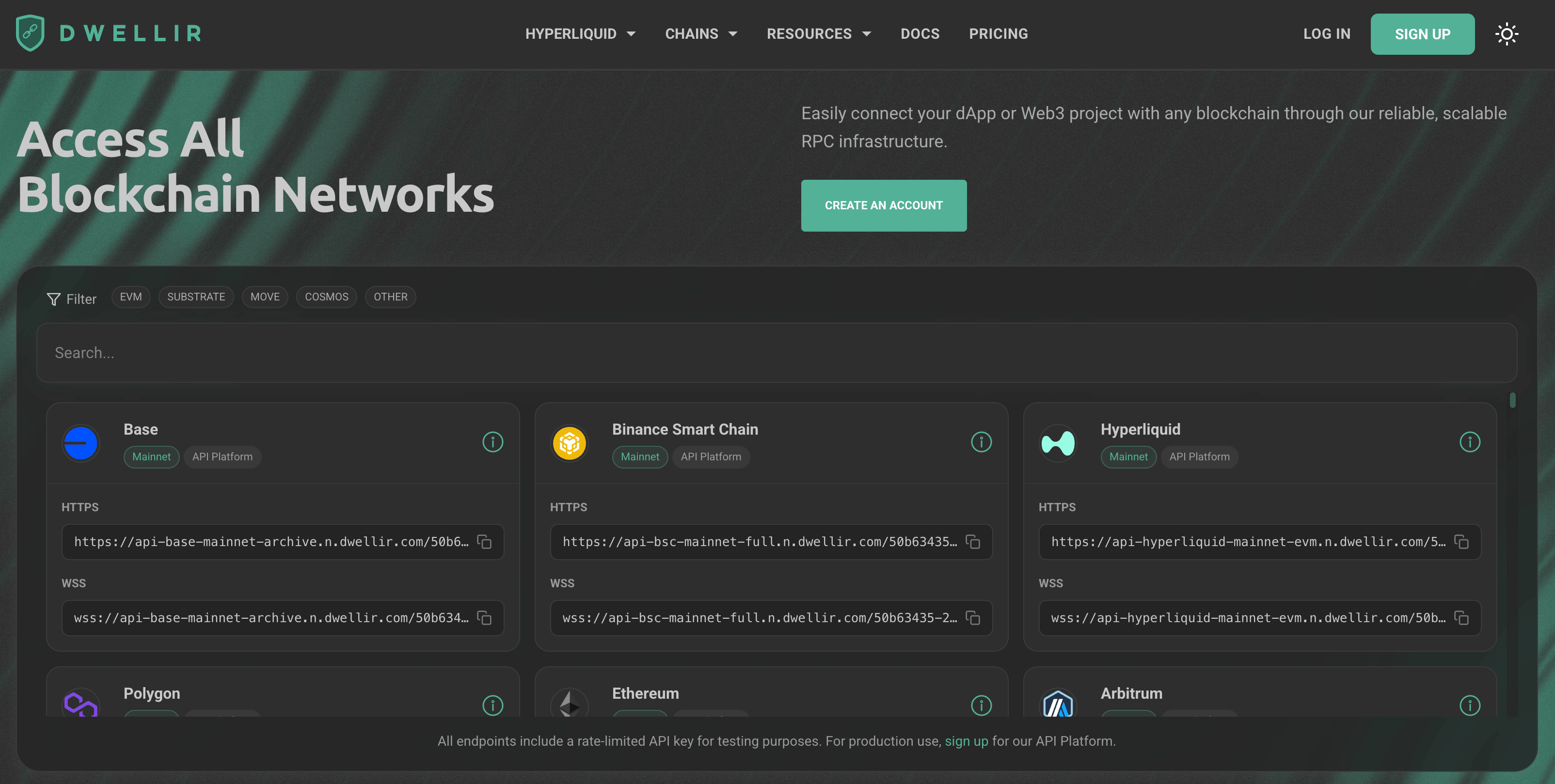
Dwellir is a Swedish RPC provider with a long Polkadot track record that now serves 150+ networks, Avalanche among them. For Avalanche it offers a C-Chain archive endpoint over HTTPS (WebSocket is not available on shared endpoints and comes with its dedicated clusters), with trace and debug APIs listed on its Unlimited Node and dedicated-cluster options (C-Chain only), plus a dedicated node cluster for teams that want isolated, unmetered access.
Shared plans bill one credit per response with no compute-unit weighting, so a heavy call costs the same as a light one. Plans scale by responses per month and responses per second, and you can pay in crypto.
| How much does Dwellir cost? | Free — 20 responses/second, 100,000 responses per day. Developer — $49/month, 25M responses, 100 responses/second. Growth — $299/month, 150M responses, 500 responses/second, eth_getLogs over up to 10,000 blocks.Scale — $999/month, 500M responses, 5,000 responses/second (10,000 burst). Unlimited Nodes — from $119/month flat, 25 to 1,000 RPS. Dedicated Node Cluster — $3,552/month list price for Avalanche, unmetered. Pay-as-you-go is available above 1B responses per month. (Pricing checked October 9, 2026.) |
| Dwellir performance | Uptime: 99.99% uptime SLA stated on Dwellir pages (contract terms not verified); a public status page covers the shared service. Latency: No Avalanche-specific latency figures published on its product pages. Throughput: Plan-based, up to 5,000 responses/second on Scale; no rate limits or request counting on a dedicated cluster. Monitoring: Usage dashboard; chat support on Developer, a dedicated account manager from Growth. |
| Dwellir pros | – 1 credit per response, no compute-unit weighting – Archive C-Chain endpoint, with trace and debug APIs listed on its Unlimited Node and dedicated options – Flat-rate Unlimited Nodes and a dedicated cluster in the same account – Crypto payments accepted |
| Dwellir cons | – No SOC 2 or ISO 27001 attestation found on its public pricing and dedicated-cluster pages – No WebSocket on shared endpoints – Free tier is capped at 100,000 responses per day – The Avalanche dedicated cluster is listed at $3,552/month |
Dwellir works well for teams that want predictable per-response billing and a path from shared plans to a dedicated cluster on Avalanche. If your game or payments backend needs WebSocket subscriptions, plan on a dedicated cluster, and ask for its compliance documents up front if your vendor review requires SOC 2 or ISO 27001.
4. Ankr: best for testing and small projects
Verdict: Large free credit allowance and pay-as-you-go pricing. Trade-off: the SLA covers Enterprise only and performance varies by region. Official pricing: Ankr pricing.

Ankr provides Avalanche RPC through a globally distributed network of node operators, routing traffic across regions to keep latency low and reduce reliance on any single infrastructure provider. You can connect to Avalanche mainnet and testnets via HTTPS or WebSocket, across multiple global regions, with archive access available for historical queries
Ankr is a solid option for teams that prefer a pay-as-you-go model and want to tap into a decentralized setup, though Ankr skips some of the advanced tooling and analytics you’d find in larger, more centralized providers.
| How much does Ankr cost? | Ankr uses an API credits model where credit cost varies by method (heavier calls cost more). Pricing is pegged at $0.10 = 1M API credits (PAYG), and there’s a freemium tier. It’s enough for testing, but high-traffic apps will hit the ceiling quickly. Their paid plans use a pay-as-you-go model: Premium — $10 per 100M credits (~500K requests), with up to 1,500 RPS. Enterprise — custom limits, dedicated nodes in chosen regions, and priority support (pricing on request). |
| Ankr performance | Uptime: 99.9% contractual SLA on Enterprise only; no SLA on public or Premium pay-as-you-go endpoints. Latency: Region-routed. Throughput: 30 RPS on free; ~1.5K–15K RPS on paid tiers. Reliability: Distributed design reduces single-point failures but outages can still occur. Monitoring: The console shows usage and request stats, with more advanced visibility once you move to a paid. |
| Ankr pros | – Freemium with 200M credits/month, – Supports HTTP, WebSocket, and archive queries, – Multi-chain support |
| Ankr cons | – Advanced visibility/support gated to paid, – Fixed monthly plans only through custom deals, – Fewer built-in analytics |
If you don’t mind variable performance across regions, Ankr could be a way to go when testing or for the smaller projects. Yet, if you need steady throughput and predictable billing, platforms with fixed RPS tiers and dedicated routing tend to offer a more stable path for production workloads.
5. Alchemy: best for developer tooling
Verdict: Debug API and Webhooks on Avalanche across 100+ chains. Trade-off: compute-unit pricing depends on the call mix, and the Trace API and gRPC are not available for Avalanche. Official pricing: Alchemy pricing.

Alchemy offers Avalanche RPC with HTTP and WebSocket access to mainnet and testnet, plus the Debug API and Webhooks; the Trace API and gRPC are not available for Avalanche.
On top of that, Alchemy supports 100+ networks, so teams already on its SDK and dashboard can reuse them for Avalanche.
| How much does Alchemy cost? | Alchemy measures usage in compute units (CUs) rather than raw requests, which can make costs less predictable for teams sending large volumes of latency-sensitive calls compared to flat, request-based models. Alchemy starts with a free tier offering 30M CUs per month, roughly 1.1M basic requests at 300 CU/s (about 15 RPS). Paid plans scale by total CU usage: Pay-as-you-go — $0.525 per million CUs (from 300 RPS). Enterprise — custom pricing with lower per-unit costs at high volumes. |
| Alchemy performance | Uptime: Reports 99.9% historical uptime, but an uptime SLA is only guaranteed on Enterprise plans. Latency: Region-based routing helps keep response times low; however, Alchemy does not publish official Avalanche-specific latency numbers. Throughput: Begins at 300 CU/s (about 15 RPS) on the free tier; pay-as-you-go starts at 300 RPS, with more capacity bought in 5,000 CU/s blocks. Reliability: The Supernode setup helps maintain data accuracy during heavy traffic. Monitoring: You can check usage, errors, and request patterns through the dashboard in real time. |
| Alchemy pros | – Covers Avalanche plus 100+ chains, – Debug API and Webhooks on Avalanche – Rich tooling |
| Alchemy cons | – CU pricing isn’t intuitive, – Alchemy publishes no Avalanche-specific latency benchmarks of its own, – Throughput caps by plan, very high RPS needs an enterprise plan |
Alchemy describes its Supernode setup as maintaining data accuracy under heavy traffic, but it does not publish Avalanche-specific latency numbers, so test it from your own region. Compute-based CU pricing offers flexibility but bills vary by API call complexity, making cost prediction challenging at scale. Ideal for teams already standardized on Alchemy’s tooling, less optimal for fixed-budget planning.
6. Quicknode: best for high-throughput shared plans
Verdict: Up to 500 RPS on Business plus Streams and Webhooks. Trade-off: method-weighted credits and no flat-rate unlimited option. Official pricing: Quicknode pricing.


Quicknode runs a multi-region infrastructure for Avalanche RPC, letting you connect to mainnet and testnets over HTTP or WebSocket. Archive support is available for teams that need to query deep historical data.
Quicknode also supports dozens of other chains and offers add-ons such as Webhooks and Streams if you want event-based triggers or real-time blockchain feeds. Quicknode is popular with high-traffic teams because the network scales well under pressure, but to get to that performance you would need to move to the higher-priced tiers.
| How much does Quicknode cost? | Build — $49/month, 80M credits plus $0.62 per extra million, up to 50 RPS. Accelerate — $249/month, 450M credits plus $0.56 per extra million, up to 125 RPS. Scale — $499/month, 950M credits plus $0.53 per extra million, up to 250 RPS. Business — $999/month, 2B credits plus $0.50 per extra million, up to 500 RPS. Enterprise — custom terms for higher volumes and dedicated support. Unused credits do not roll over month to month, so variable Avalanche loads need headroom, and the model adds a layer compared to straight request counts. |
| Quicknode performance | Uptime: States 99.99% uptime across supported services on its security page; premium SLA on Enterprise. Latency: Region-routed endpoints optimized for low latency; no official ms target published, so benchmark in your region. Throughput: 15 RPS on the trial, 50 RPS on Build, up to 500 RPS on Business, custom on Enterprise. Reliability: Requests are rerouted automatically. Monitoring: The dashboard gives real-time visibility into request performance and errors. |
| Quicknode pros | – Scales up to 500+ RPS on higher plans, – Archive data available (by chain/plan), – Low latency from multi-region routing |
| Quicknode cons | – Free trial caps at 15 RPS with community-level support, – Method-weighted, credit-based billing makes costs less predictable, – No flat-rate unlimited option for heavy workloads |
Quicknode gives you speed, global routing, and developer tooling, which makes it good option for Avalanche apps. The main limitation is its credit-based (method-weighted) pricing. Because different methods burn credits at different rates, long-term cost planning takes more effort, especially if your workload isn’t static.
Getting started with Avalanche on Chainstack
The provider you choose shapes your baseline for speed, reliability, and how easily you can scale over time. Chainstack bundles the full stack into a setup that takes minutes to deploy:

- Log in to your Chainstack account (or create one if you don’t have it yet).
- Create a new project or select an existing one.
- Choose Avalanche, then pick mainnet or a testnet.
- Deploy a node with RPC access and copy the HTTP or WebSocket endpoint into your app.
Once your endpoint is live, the C-Chain behaves like a standard EVM JSON-RPC network — for example, checking the latest block:
curl -X POST https://YOUR_CHAINSTACK_ENDPOINT/ext/bc/C/rpc/YOUR_API_KEY \
  -H "Content-Type: application/json" \
  -d '{
    "jsonrpc": "2.0",
    "method": "eth_blockNumber",
    "params": [],
    "id": 1
  }'
Conclusion
The 2026 Avalanche RPC landscape is more competitive and mature than ever. In our assessment, Chainstack leads as the top all-around provider, combining enterprise-grade performance and 99.99%+ platform uptime via multi-cloud routing, transparent request-based pricing with an Unlimited Node option, and full SOC 2 Type II and ISO 27001 compliance. Chainstack serves stablecoin payments and enterprise dApps well, with 70+ chains supported from one platform.
Quicknode is a strong choice for latency-sensitive workloads, offering up to 500 RPS on its published tiers and robust compliance certifications. Alchemy remains a developer-first platform with rich tooling and a generous free tier, best suited for teams prioritizing productivity over raw infrastructure control.
Dwellir and Ankr serve more cost-conscious and early-stage use cases. Dwellir offers flat per-response billing, flat-rate Unlimited Nodes and a dedicated-cluster path but publishes no compliance attestation, while Ankr offers broad multi-chain access and flexible pricing—but with fewer enterprise-grade features compared to top-tier providers.
Overall, developers now have a wide range of Avalanche RPC options—from enterprise-ready infrastructure to flexible, budget-friendly platforms—making it easier to match providers to specific performance, compliance, and cost requirements.
FAQ
Avalanche RPC is the standard interface that lets applications communicate with the Avalanche blockchain. Through an RPC provider, you can read blockchain data (balances, transactions), send transactions, deploy smart contracts, and interact with dApps using JSON-RPC API calls. Without reliable RPC, your app can’t connect to Avalanche.
For production workloads, Chainstack is a strong option, combining predictable request-based pricing, scalable performance, 99.99%+ platform uptime, global low-latency routing, SOC 2 Type II and ISO 27001 compliance, and both free/enterprise tiers. It covers payments, enterprise, and gaming needs better than competitors.
Yes. Chainstack offers 3M requests/month (~25 RPS) free with full mainnet/testnet access (archive data starts on the Growth plan). Alchemy gives 30M CUs (~1.1M requests), Dwellir allows 100,000 responses a day, and Ankr includes a limited free tier suitable for testing and light usage.
Avalanche Subnets are application-specific networks that let teams run isolated environments with custom rules, performance, and validators. They’re commonly used for gaming, enterprise, and regulated applications that need predictable performance and control.
Chainstack serves the Primary Network (C-, X- and P-Chain), and also provides guides explaining how subnets work and when to use them.
Avalanche subnet tutorial series
When you start building on Avalanche, the provider you choose shapes your baseline for speed, reliability, and how easily you can scale over time. While different platforms cater to different use cases, Chainstack bundles the full stack into a setup that takes minutes to deploy:
1. Log in to your Chainstack account (or create one if you don’t have it yet).
2. Create a new project or select an existing one.
3. Choose Avalanche, then pick mainnet or a Fuji testnet
4. Deploy a node with RPC access and copy the HTTP or WebSocket endpoint into your app.

Additional resources
- Chainstack Avalanche product page — build better with Avalanche.
- Avalanche tooling — supported libraries and SDKs.
- Chainstack Enterprise plans — custom RPS, SLAs, and dedicated support.
Changelog
We review this comparison regularly so that the information stays accurate, clear, and easy to verify. This page was reviewed to improve how the comparison is structured and sourced.
- October 29, 2026: Added a quick verdict and a “Best for” column, numbered the provider sections with one-line verdicts, added a methodology and disclosure section, a rate limits and free tiers comparison, alternatives guidance, links to official pricing pages, corrected vendor pricing, limits and certification details, wording clarifications, and a status-page source for the platform uptime claim.
- January 22, 2026: Original publication.