


Every wallet has a default RPC provider quietly doing the work behind the scenes — the node that answers “what’s my balance,” “will this transaction succeed,” and “what’s the gas price right now.” Most people never touch that setting. But Rabby Wallet makes it a first-class feature, and if you’re using Rabby for anything beyond casual swaps, pointing it at your own node instead of a public one shared with everyone else is worth the two minutes it takes.
TL;DR: Rabby ships with public RPC endpoints for every chain it supports, shared across every Rabby user. Pointing Rabby at your own Chainstack endpoint instead gets you consistent balances, gas estimates, and simulations that aren’t affected by everyone else’s traffic. Rabby’s Settings split this into two separate screens: Modify RPC URL for a chain it already ships with, and Add Custom Network for a chain it doesn’t support at all.
What is Rabby Wallet?

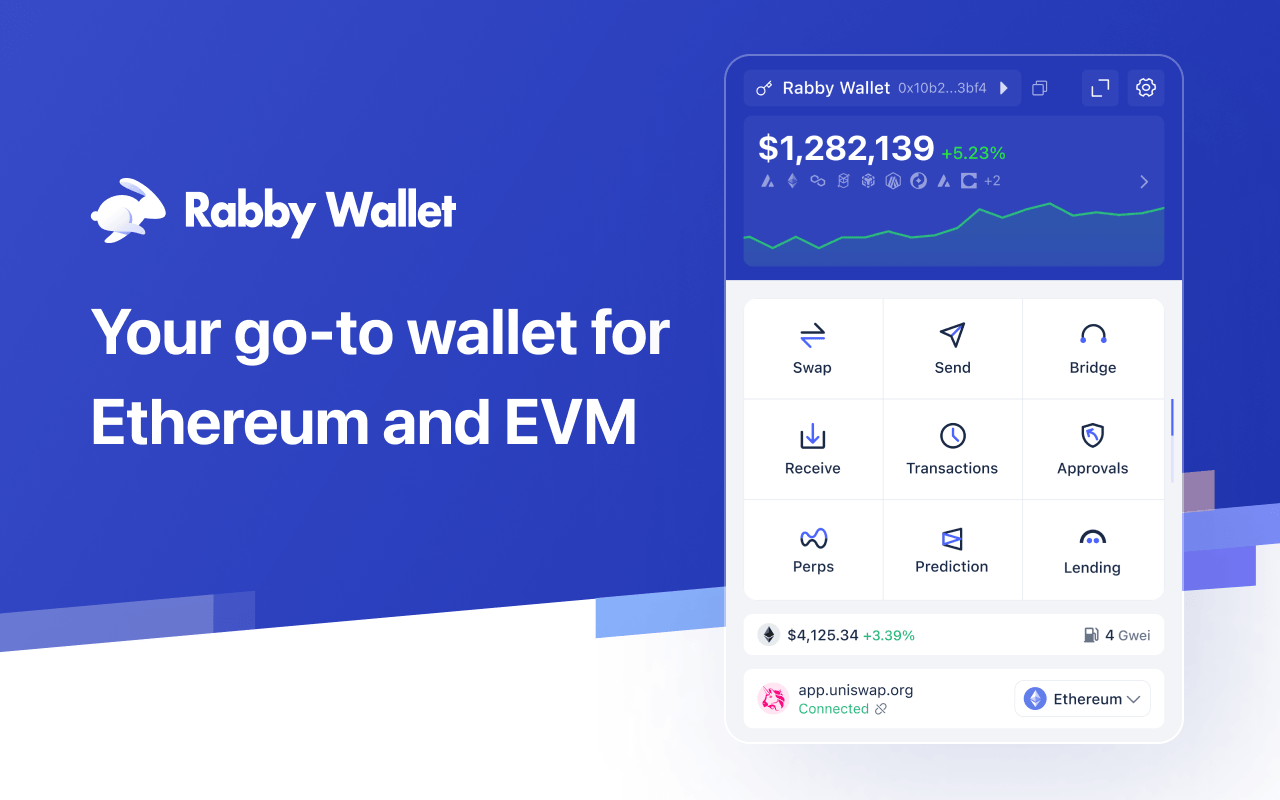
Rabby is a browser-extension and mobile wallet for Ethereum and other EVM chains, built by DeBank. It’s become one of the more recommended MetaMask alternatives in DeFi circles for two reasons: it simulates a transaction before you sign it — showing you exactly what balances and approvals will change — and it switches networks automatically based on whatever dApp you’re connected to, instead of making you flip the network dropdown by hand every time. It also bundles a per-chain “Gas Account” that can pay gas across any chain it supports from a single deposit, and a batch-revoke tool for clearing out old token approvals in one pass. The wallet is open source and has been audited by SlowMist and Least Authority.
None of that changes which node actually serves Rabby’s on-chain reads, though — that’s a separate setting, and it’s the one this guide covers.
Why point Rabby at your own RPC
By default, Rabby routes every chain through a public endpoint shared with every other Rabby user on that chain. That’s fine for casual use, but it means your balances, gas estimates, and transaction simulations depend on however congested that public node is at the moment — and you have no control over it. Here’s what changes when you swap in a Chainstack endpoint instead:
| What you’re doing in Rabby | Rabby’s default public RPC | Your Chainstack RPC |
|---|---|---|
| Checking a balance during network congestion | Queues behind every other user on the shared endpoint | Served by a node only you’re using |
| Simulating a transaction before signing | Depends on whichever public provider Rabby happened to route to | Same node every time, so results are consistent |
| Using a chain Rabby doesn’t ship with | Not available — Rabby has no default endpoint for it | Add it yourself via Add Custom Network, pointed at your node |
What you need
First, get a Chainstack HTTPS endpoint with its authentication key:

- Log in to the Chainstack console (or create an account).
- Create a new project.
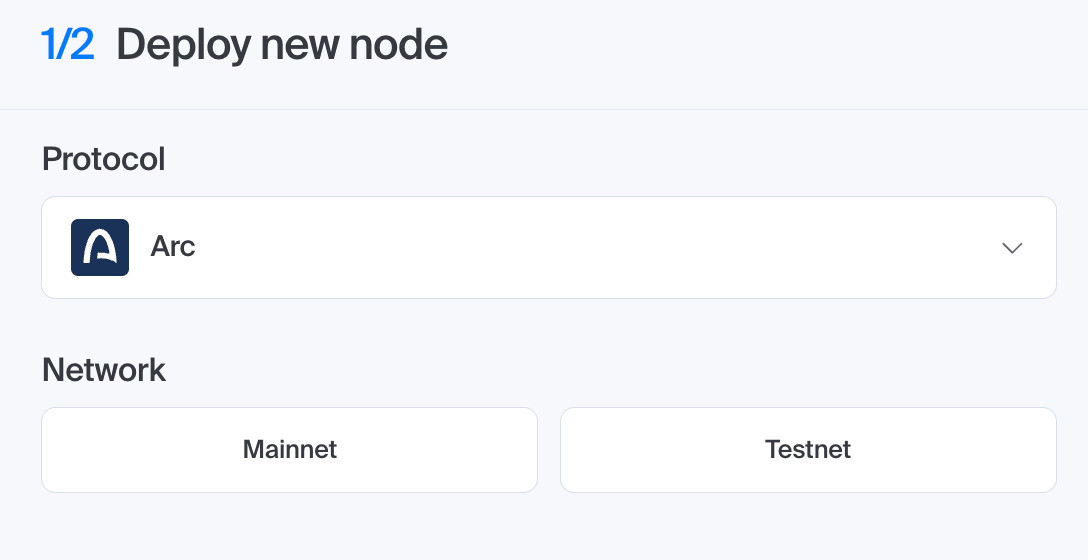
- Select your blockchain protocol — Arc, in this guide’s examples.
- Choose Mainnet or Testnet.
- Deploy the node.
- Open Access and credentials and copy your HTTPS endpoint.
Beyond that, you’ll also need:
- For a custom network: the chain ID, native currency symbol, and optionally a block explorer URL. You don’t need to hunt these down piecemeal — every chain Chainstack supports has its own tooling doc at
docs.chainstack.com/docs/{chain}-toolingwith a chain configuration table listing all of it in one place (Arc’s is at docs.chainstack.com/docs/arc-tooling). For a chain Chainstack doesn’t support, fall back to chainlist.org - The Rabby browser extension, installed and unlocked
Two ways to set a custom RPC in Rabby

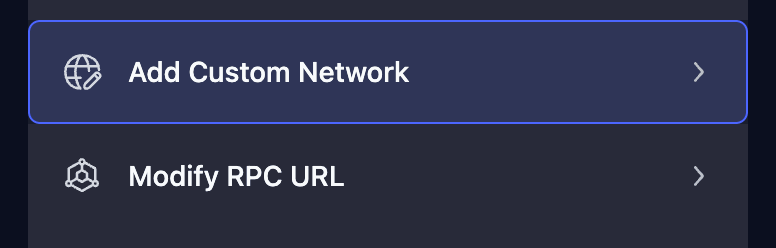
Rabby’s Settings list two separate entries for this, and it’s worth knowing which one you want before you open either:
| Settings entry | Use it when | What you enter |
|---|---|---|
| Modify RPC URL | The chain is already integrated into Rabby (Ethereum, Base, Arbitrum, Robinhood Chain, BNB Chain, Arc, and most others) — you’re just swapping the node | Search for and select the chain from the Integrated Network tab, then paste the RPC URL — no chain ID or symbol needed, Rabby already knows them |
| Add Custom Network | The chain isn’t integrated into Rabby at all | Chain ID, network name, RPC URL, currency symbol, and optionally a block explorer URL |
The two screens are actually linked: Modify RPC URL has its own Custom Network tab alongside Integrated Network, so once you’ve added a chain through Add Custom Network, you come back to Modify RPC URL if you ever want to change its endpoint again.
One more difference: Modify RPC URL is extension-only. Add Custom Network is available on both the browser extension and the mobile app.
Override the RPC for a chain Rabby already supports
Use this when the chain — Arc, for example — is already integrated into Rabby, and you just want your own node to serve it instead of the public default.
Make sure the endpoint’s chain matches the chain you’re editing — pasting a Base endpoint onto Ethereum, for instance, leaves Rabby unable to read balances or estimate gas on that chain.

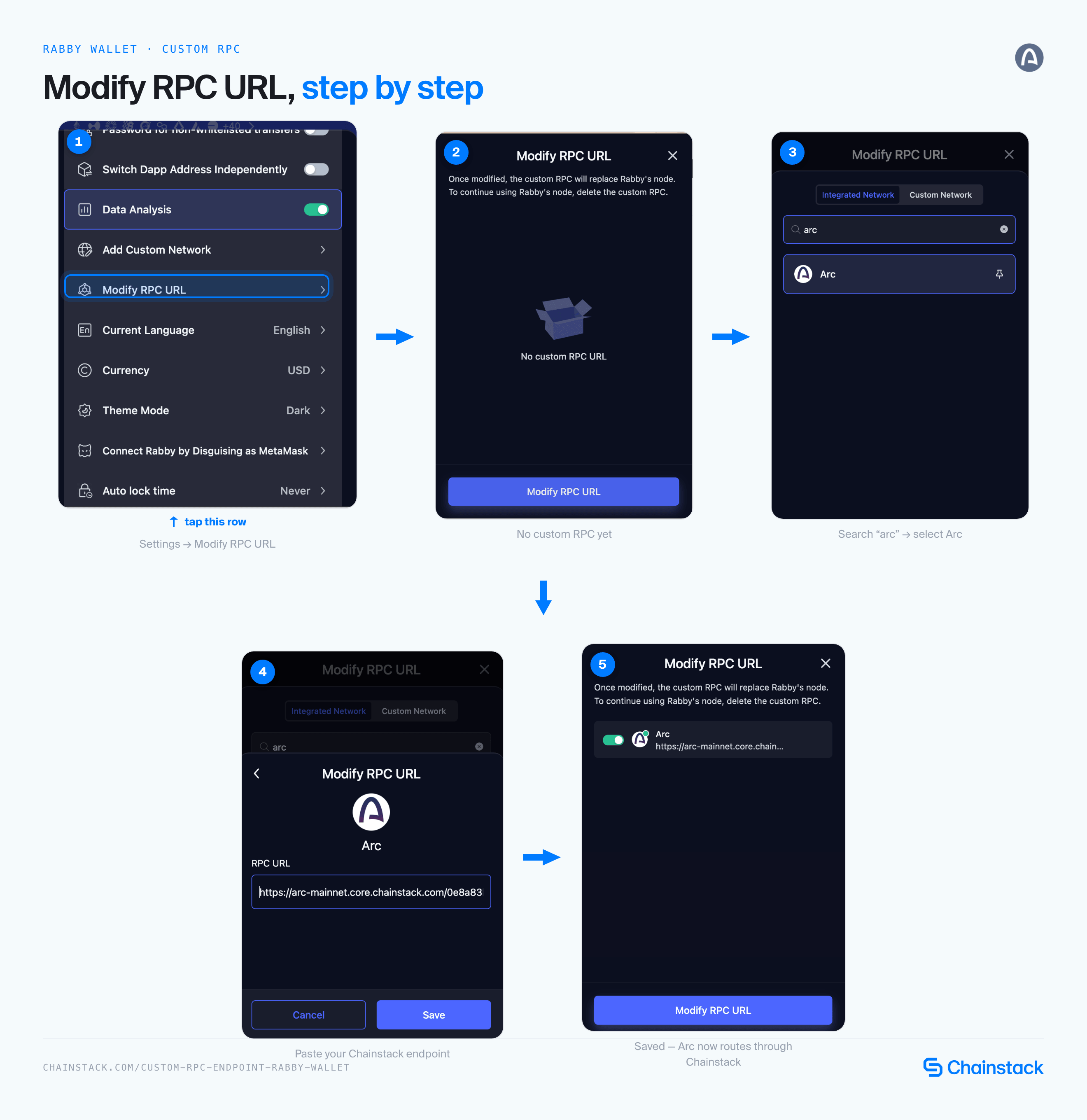
- Open Rabby and go to Settings.
- Click Modify RPC URL. This opens a panel listing every chain that already has a custom RPC — empty the first time.
- Click Modify RPC URL again, at the bottom of that panel.
- Make sure the Integrated Network tab is selected (it’s the default), and use Search chain to find the network — for example, type “Arc.”
- Select Arc from the list.
- On Arc’s RPC screen, paste your Chainstack HTTPS endpoint — for example,
https://arc-mainnet.core.chainstack.com/AUTH_KEY— into the RPC URL field. - Click Save.
Rabby now routes that chain’s reads and transaction broadcasts through your endpoint instead of its default public one — this replaces Rabby’s own node for that chain, not just a fallback. To change it again later, repeat the same steps and overwrite the RPC URL field. To go back to Rabby’s own node entirely, delete the custom RPC entry under Settings > Modify RPC URL.
Add a chain Rabby doesn’t support yet
Use this for a chain that isn’t integrated into Rabby at all. Arc mainnet is already in Rabby’s list, but a testnet like Arc Testnet typically isn’t — same goes for most testnets and newer L2s Chainstack supports that Rabby hasn’t added natively.

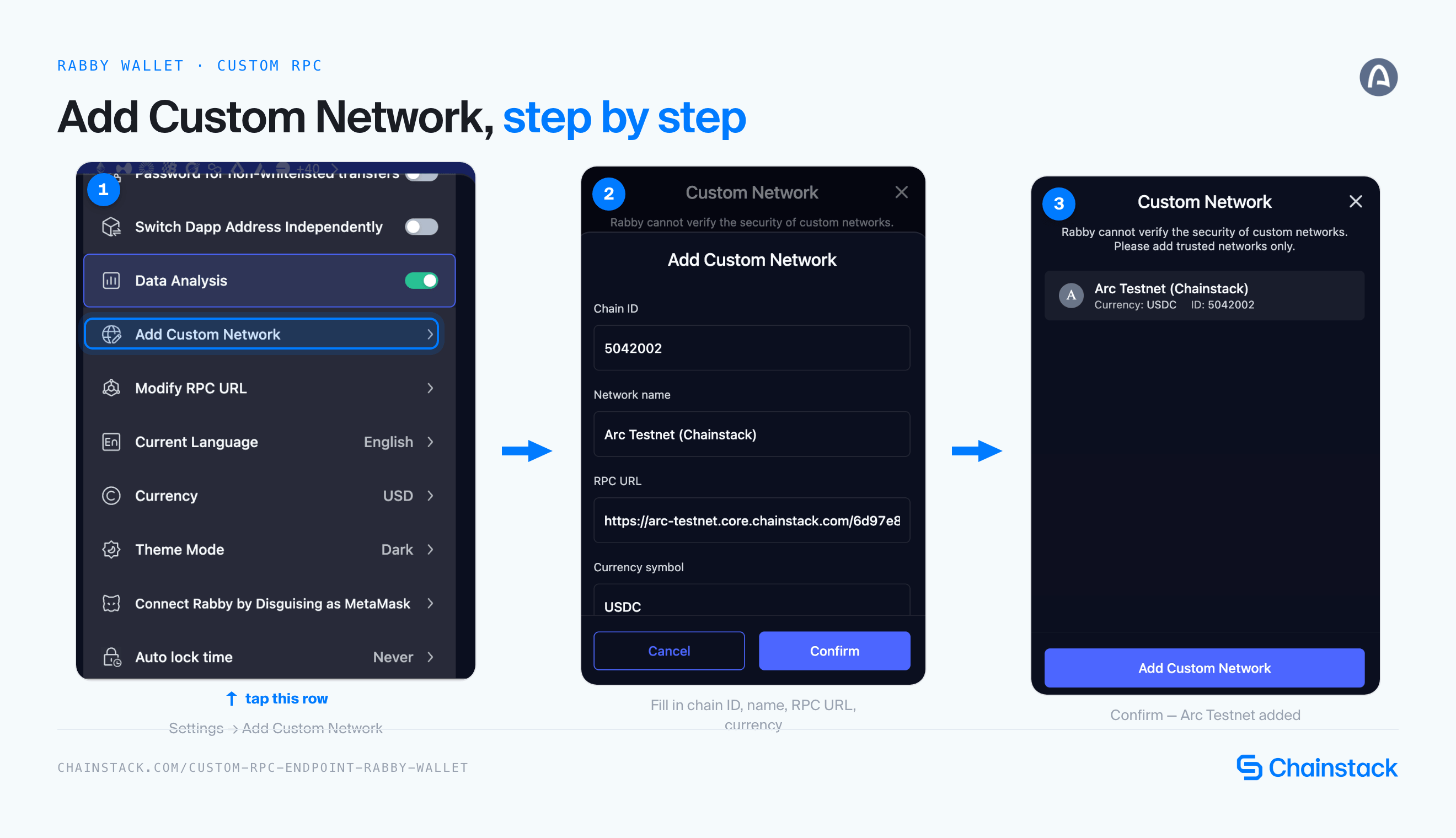
- Open Rabby and go to Settings.
- Click Add Custom Network.
- Fill in the fields yourself instead (see table below).
- Click Confirm.
| Field | Value |
|---|---|
| Chain ID | 5042002 for Arc Testnet |
| Network name | Anything readable, e.g. Arc Testnet (Chainstack) |
| RPC URL | Your Chainstack HTTPS endpoint, e.g. https://arc-testnet.core.chainstack.com/AUTH_KEY |
| Currency symbol | USDC |
| Block explorer URL (optional) | https://explorer.testnet.arc.io |
Rabby warns that it “cannot verify the security of custom networks” before you confirm — that’s Rabby telling you it has no way to check whether the RPC URL you typed is trustworthy, which is exactly why the endpoint you use here matters.
Custom networks come with a tradeoff worth knowing before you rely on one: Rabby shows token amounts only — no price data, no valuation, and no transaction history the way integrated chains get. To see a token other than the network’s native one, add it manually by contract address with + Token. To find your added network afterward, click the price chart on the Rabby homepage to open the portfolio list, then select the Custom Network tab.
Verify it’s working
Switch to the network in Rabby and check that balances and gas estimates load without errors — that confirms Rabby is reaching your endpoint. To confirm the endpoint itself is healthy and on the right network, query it directly:
curl YOUR_CHAINSTACK_ENDPOINT \
  -H 'content-type: application/json' \
  -d '{"jsonrpc":"2.0","method":"eth_chainId","params":[],"id":1}'
The hex result has to match the network you added — 0x1 for Ethereum Mainnet, for example. Look up chain IDs at chainlist.org.
For proof that traffic is actually reaching your node, check the request metrics for your endpoint in the Chainstack console — you’ll see Rabby’s read calls, such as eth_call and eth_estimateGas, as you use the wallet.
Troubleshooting
- Can’t find the chain under Modify RPC URL. Check both tabs — Integrated Network for chains Rabby ships with, Custom Network for ones you added yourself via Add Custom Network.
- Chain ID mismatch. On the Add Custom Network flow, Rabby won’t switch to the network if the chain ID doesn’t match what the RPC endpoint reports — double-check it at chainlist.org.
- Balances or gas estimates fail to load after Modify RPC URL. The endpoint is likely on the wrong chain for that entry — confirm with the
eth_chainIdcall above and make sure it matches the chain you set it on. - Endpoint unreachable. Verify the URL and authentication key with the curl command above before adding it to Rabby.
- Setting doesn’t carry over. Both Modify RPC URL and Add Custom Network entries are stored locally in the extension, per device — reinstalling Rabby or switching browsers means adding the endpoint again.
- Use trusted RPC URLs only. Rabby says it outright: it cannot verify the security of a custom network’s RPC. That endpoint serves the on-chain state Rabby shows you before you sign — balances, gas estimates, transaction simulations — so only use one you control or trust.
Conclusion
Rabby’s default public endpoints work fine for casual use, but they’re shared across every Rabby user on that chain. Pointing Rabby at your own Chainstack node — whether by overriding a chain it already supports through Modify RPC URL, or adding one it doesn’t ship with through Add Custom Network — gets you consistent reads and one less point of failure between you and the chain.
FAQ
Modify RPC URL overrides the endpoint for a chain Rabby already ships with — you search for it under the Integrated Network tab and just paste a new RPC URL. Add Custom Network is for a chain Rabby doesn’t support at all, so you supply the chain ID, currency symbol, and RPC URL yourself to add it from scratch.
No. The RPC endpoint only serves reads — balances, gas estimates, simulations — and broadcasts the transactions you’ve already signed. Your private keys and signing flow in Rabby are unaffected by which RPC provider you point it at.
No. Both Modify RPC URL overrides and Add Custom Network entries are stored locally in the browser extension, per device. If you reinstall Rabby or switch browsers, you’ll need to add the endpoint again.
Yes, but Rabby’s RPC URL field doesn’t have a separate credentials prompt, so you’ll need to embed the authentication in the URL itself (for example as basic-auth userinfo in the URL) rather than the query-string key format. Check your node’s Access and credentials page in the Chainstack console for the exact URL to use.
No. Both Modify RPC URL and Add Custom Network are chain-ID based, which only applies to EVM chains. Non-EVM chains need their own wallet-specific configuration outside of this flow.
Additional resources
- Adding a custom RPC endpoint to Rabby — the doc reference for this guide
- Adding a custom network to MetaMask
- Adding a custom RPC endpoint to Safe
- Arc tooling
- How to add and view custom networks — Rabby’s own guide to the Add Custom Network flow
- chainlist.org