


Self-hosting a blockchain node sounds straightforward — until you’re debugging a missed hardfork at 2am.
The five options in this guide take that seriously. They represent the easiest paths to running your own Ethereum node in 2026 — no matter what infrastructure you’re starting from. Each removes a different part of the setup burden. This guide tells you what each actually delivers, who it’s built for, and where the catch is.
What “easy” looks like in practice
Not all node solutions reduce friction in the same way. In this guide, easy means: you don’t configure clients from scratch, you don’t write Docker Compose files, and you don’t build a monitoring stack manually. The solution handles at least deployment and initial configuration for you.
Three distinct categories qualify:
- Hardware appliances — physical boxes that ship pre-configured. You connect power and ethernet, follow a short setup wizard, and you’re running a node. No terminal, no cloud account. Dappnode and Avado fall here. These are the only two options listed under the plug-and-play section on ethereum.org.
- Pre-installed cloud solutions — servers with the node software already installed and ready to deploy. You pick a provider, provision a server, and start from a working control panel rather than a blank Linux install. Chainstack Self-Hosted on partner infrastructure falls here.
- Low-config tools — setup tools that dramatically reduce the work compared to raw CLI, but still require a server and a terminal for the initial step. Once installed, everything is menu or GUI-driven. Stereum and EthPillar fall here — open-source, community-maintained options for VPS operators who want guided setup without hardware purchase. They appear in the guided setup section on ethereum.org.
If you want raw setup tools that require more terminal work, see Top 5 Ethereum node setup tools in 2026.
How we ranked these solutions
Five criteria weighted toward setup simplicity:
| Criterion | Weight | What we looked at |
|---|---|---|
| Time to first running node | 25% | From order/sign-up to node syncing |
| Setup complexity | 25% | Steps required, technical knowledge needed |
| Operational simplicity | 20% | Monitoring, updates, recovery without manual work |
| Infrastructure flexibility | 15% | Cloud, hardware, multi-protocol support |
| Long-term reliability | 15% | Self-healing, failover, update management |
Home users weight time to first node and setup simplicity highest. Teams weight operational simplicity and infrastructure flexibility more. The ranking reflects what matters most when the goal is to avoid operational overhead — not raw feature count.
Top 5 easiest ways to run an Ethereum node
1. Chainstack

Best for: Anyone who wants a production-grade self-hosted node running on cloud or VPS infrastructure without configuring it from scratch.
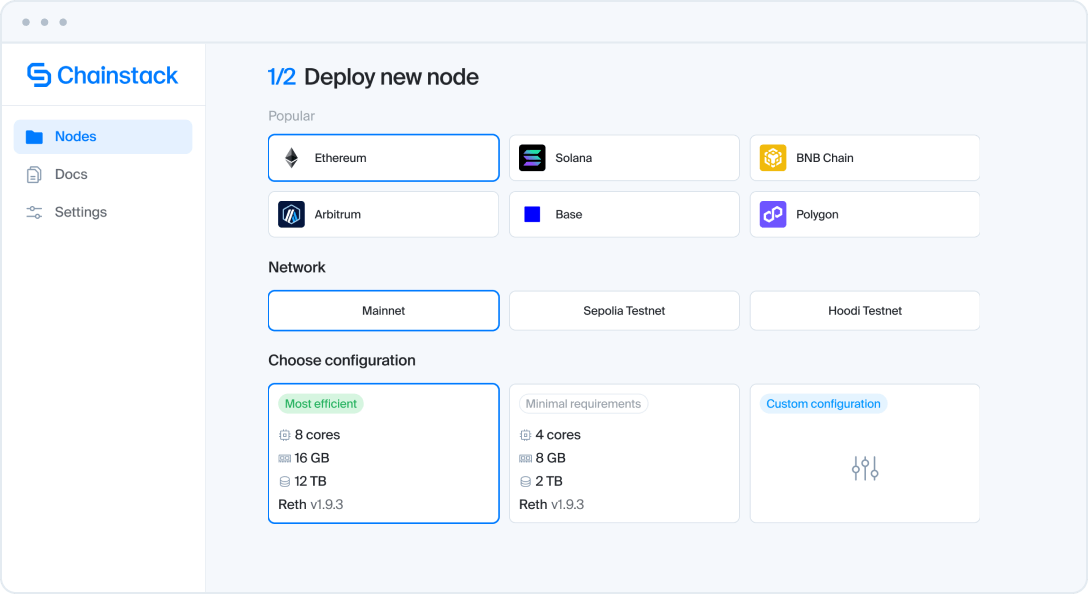
Chainstack Self-Hosted is a node management platform that deploys and operates Ethereum nodes on infrastructure you own — with the operational complexity handled for you. What makes it easy to run is the combination of pre-installed server partnerships and automated lifecycle management: you don’t start from a blank server, and you don’t manage ongoing operations manually.
What makes it easy to run:
- Pre-installed on partner infrastructure — HOSTKEY, Velia, BreezeHost, and serverside.com ship servers with Chainstack Self-Hosted pre-installed. Select a server, and you’re deploying nodes from a working control panel — not a bare Linux install
- One-click node deployment — select protocol, network, and configuration preset; the node is live in minutes with right-sized specs applied automatically
- Self-healing — nodes that crash or fall behind recover automatically without manual intervention
- Automated updates — get notified when client updates are available, control when they’re applied, no manual coordination
- Zero-downtime failover — configure failover to a secondary node, a Chainstack managed RPC endpoint, or any endpoint you specify
- Built-in monitoring — real-time node performance, alerts, and observability without building a monitoring stack
Chainstack Self-Hosted delivers 99.99% operational uptime for critical workloads, a 5x faster path to production compared to DIY, and 24/7 automated operations.
Infrastructure partners: serverside.com offers 10% off servers with Chainstack Self-Hosted. Velia, BreezeHost, and HOSTKEY ship servers with Chainstack Self-Hosted pre-installed — select “Deploy on [provider]” from the Chainstack Self-Hosted product page.
Limitations: Requires choosing and provisioning a server — you’re not buying a pre-built appliance. For non-technical home users who want a physical box with no cloud account, Dappnode or Avado is a better fit.
Why it’s #1: Every other solution in this list makes you choose between owning your infrastructure and getting operational simplicity. Chainstack Self-Hosted is the only option here that gives you both — your server, your data, your infrastructure, with production-grade node operations handled automatically. The four infrastructure partnerships mean the “pre-installed” experience is real: you’re not setting up software on a blank server, you’re deploying nodes from a working control panel.
Chainstack’s goal has always been to be the go-to blockchain node platform across any chain and environment. Today, that includes the nodes you run on your own hardware.
2. Dappnode Home

Best for: Home stakers and non-technical operators who want a physical appliance with the broadest Ethereum staking ecosystem, zero command line work.
Dappnode ships pre-built hardware nodes designed specifically for Ethereum staking and node operation at home. The Dappnode Home appliances arrive with DappnodeOS pre-installed — plug in power and ethernet, follow the browser-based setup wizard, and you’re running a node. No terminal, no configuration files, no client selection required unless you want to customize.
What makes it easy to run:
- Pre-built hardware with DappnodeOS pre-installed — box arrives ready to configure
- Browser-based
my.dappnodedashboard — entire setup and management through a web UI - Auto-detection of hardware specs and automatic client configuration
- DAppStore: 100+ one-click packages including Lido CSM, Obol DVT, SSV Network, RocketPool — the most mature staking ecosystem of any solution in this list
- WireGuard VPN built in — remote access to your node from anywhere without exposing ports
- Auto-updates for DappnodeOS and installed packages
- MEV-Boost and Web3Signer bundled out of the box
Hardware options: Dappnode Home appliances are the primary recommended path. The DappnodeOS software can also run on self-built hardware, though the out-of-box experience is optimized for Dappnode’s own machines.
Limitations: Hardware-centric — you need to buy the physical device and host it at home. No multi-server fleet management. Not designed for VPS or cloud deployment. If your hardware fails, you’re managing recovery manually.
Why it’s #2: For home stakers who want a physical box and the richest staking application ecosystem, Dappnode is unmatched. The DAppStore with 100+ packages represents years of community curation that no other solution here matches. It earns #2 over Avado because of the more active ecosystem, broader protocol support, and stronger community backing in 2026.
3. Avado

Best for: Home stakers who want a hardware appliance with a streamlined DAppStore experience and support for running multiple chains simultaneously.
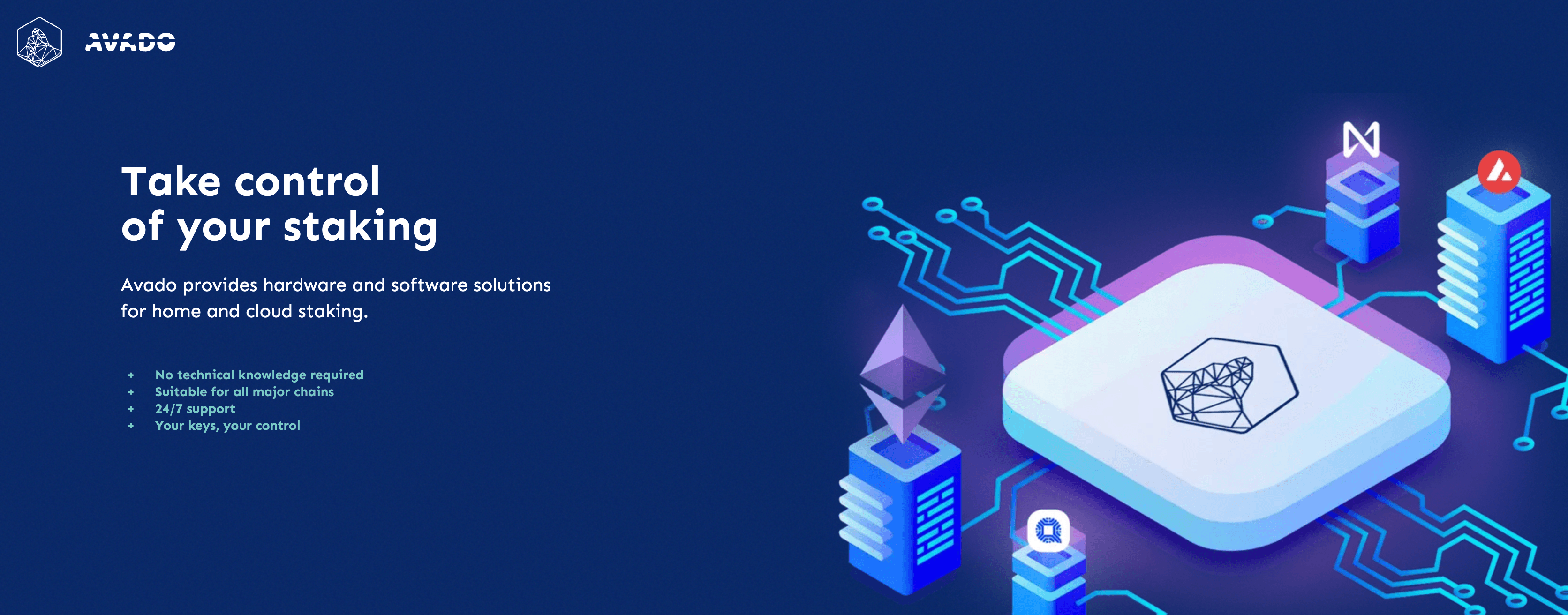
Avado is a plug-and-play blockchain computer — purpose-built hardware that ships with AvadoOS pre-installed. The setup experience is designed to be the simplest possible: connect the device, access the web interface via WiFi hotspot or browser, and install nodes from the DApp store with one click. No command line, no manual client configuration.
What makes it easy to run:
- Hardware ships with AvadoOS pre-installed — WiFi hotspot for initial setup, no cables required beyond power
- Browser-based web UI for all node management
- DApp store with one-click installs for Ethereum (full node, validator, archive), Bitcoin, Gnosis Chain, and others
- Supports running multiple chains simultaneously on one device
- Remote Connect feature — manage your node globally without port forwarding
- Automatic package updates from the DApp store
Hardware options: Avado i5 (entry-level), Avado i7, Avado r9 (AMD Ryzen 9, 8 cores, 64GB RAM, up to 16TB NVMe — for advanced users running multiple chains). The r9 is among the most capable home node hardware available in 2026.
Limitations: Hardware-tied — requires buying the physical device. The ecosystem and community are smaller than Dappnode’s in 2026. Active but less frequently updated than Dappnode’s DAppStore.
Why it’s #3: Avado earns its place for users who want hardware simplicity plus the ability to run multiple chains on one device. The r9 configuration is meaningfully more powerful than most home staking hardware. It ranks below Dappnode because the staking ecosystem breadth and community support are less mature in 2026.
4. EthPillar

Best for: Solo stakers and home operators on Linux who want the fastest path from blank server to running validator node — without memorizing CLI commands.
EthPillar is a one-liner setup tool and node management TUI (text user interface) built by coincashew. A single curl command installs EthPillar, and from that point everything is menu-driven — no CLI commands to memorize, no Docker Compose files to write. It’s the closest thing to zero-config for Linux VPS and home server users who want full staking capability.
What makes it easy to run:
- One-liner install: a single
curlcommand bootstraps the entire setup - TUI menu navigation — all node operations accessible through a text-based interface, no CLI knowledge required after install
- Deploys minority clients by default (Nimbus-Nethermind, Teku-Besu, Lighthouse-Reth) for client diversity — MEV-Boost included
- Lido CSM integration — start staking with as little as 2.4 ETH
- Grafana and Ethereum-Metrics-Exporter built in — monitoring ready without manual configuration
- Built-in troubleshooting toolbox: port checker, peer counts, automated system benchmarking, node-checker
- Hoodi and Ephemery testnet support — practice risk-free before mainnet
- ARM64 and AMD64 support — works on Raspberry Pi and standard servers
- Active development: v5.2.4 released 2025, Pectra-ready, supported by Gitcoin Grants and EthStaker
Supported configurations: Solo staking node, full node only, Lido CSM staking node, validator client only, failover staking node.
Limitations: Requires Linux Ubuntu — not available for macOS or Windows. The initial install still requires opening a terminal and running a curl command. Not designed for multi-server fleet management or cloud-native deployments.
Why it’s #4: EthPillar earns its place because after the one-liner install, the entire node lifecycle is menu-driven — updates, monitoring, troubleshooting, key management. For Linux home stakers and VPS operators who want staking capability without building a manual setup from scratch, it’s the most complete low-config option available. It ranks below the hardware appliances because it requires terminal access for installation, and below Chainstack Self-Hosted because it lacks automated self-healing and failover.
5. Stereum

Best for: Users who want the easiest VPS node experience on a VPS or dedicated server without buying hardware, and are willing to do a one-time SSH setup.
Stereum is the most hands-off VPS-based option on this list. You install the Stereum desktop launcher on your local machine, connect to your server via SSH once, and from there everything is managed through a GUI — no further command line work. It’s not as zero-friction as the hardware appliances, but for VPS users it’s the nearest equivalent.
What makes it easy to run:
- Desktop launcher (Linux, macOS, Windows) handles all remote orchestration
- One-time SSH connection — after initial setup, everything is GUI-based
- Presets for common node types: full node, staking, MEV Boost, archive, DVT setups
- Auto-installs Prometheus and Grafana — monitoring is ready without manual configuration
- Mobile app (Stereum Node Monitor) with push alerts — the only open-source solution here that ships mobile alerting
- Lido CSM support live on mainnet (v2.4.6, February 2026)
- Config import/export for replicating setups
Limitations: Requires a VPS or dedicated server you provision separately. The initial SSH setup step means it’s not truly zero-configuration. Single-server only — no fleet management or multi-node orchestration. Update model is manual (triggered through the UI).
Why it’s #5: Stereum earns the final spot because it comes closer to zero-config than raw CLI tools, while not requiring hardware purchase. For VPS operators who want a GUI experience and mobile alerts without the physical box commitment, it’s the right choice. It ranks below the hardware and cloud solutions because the setup bar is genuinely higher — SSH configuration is a step that EthPillar, Dappnode, and Avado don’t require after initial install.
Tabla comparativa
| Solution | Infraestructura | Setup path | Monitoring | Time to running node | Best for |
|---|---|---|---|---|---|
| Chainstack | Cloud / VPS (any) | Pre-installed on partner servers, one-click deploy | Built-in, 24/7 automated | Minutes | Cloud users, teams, multi-protocol |
| Dappnode Home | Physical appliance | Plug in, browser wizard | Grafana built-in, auto-update | ~30 minutes | Home stakers, non-technical users |
| Avado | Physical appliance | Plug in, WiFi setup, DApp store | Built-in dashboard | ~30 minutes | Home multi-chain operators |
| EthPillar | Linux VPS / home server | One-liner curl, then TUI | Grafana built-in | ~1 hour | Linux solo stakers, Lido CSM |
| Stereum | VPS / dedicated server | SSH once, then GUI | Grafana + mobile alerts | 1–2 hours | VPS users who want GUI |
How to choose
| If you are… | Use this |
|---|---|
| Cloud or VPS user who wants production-grade node operations | Chainstack |
| Home staker who wants a physical box and the richest staking ecosystem | Dappnode Home |
| Home operator who wants to run multiple chains on dedicated hardware | Avado |
| Linux user who wants one-liner setup with full staking capability | EthPillar |
| VPS user who wants a GUI experience without buying hardware | Stereum |
Get started with Chainstack Self-Hosted
Chainstack Self-Hosted is available now across four infrastructure partners. Choose the deployment path that fits your setup:
- Deploy on HOSTKEY — servers pre-installed with Chainstack Self-Hosted across 13 countries
- Deploy on Velia — Chainstack Self-Hosted pre-installed
- Deploy on BreezeHost — Chainstack Self-Hosted pre-installed
- Get 10% off on serverside.com — discount on servers with Chainstack Self-Hosted
All paths land you at the same place: a working Chainstack Self-Hosted control panel where you deploy your first Ethereum node in minutes, with self-healing, automated updates, and built-in monitoring from day one.
Conclusión
The “easy node” promise means different things depending on where your node lives. For home stakers, it means a box that arrives ready to run — Dappnode for ecosystem depth, Avado for multi-chain capability. For Linux users who want one-liner setup with full staking capability, EthPillar is the right tool. For VPS users who want to skip the CLI after initial setup, Stereum gets closest without requiring hardware.
For everyone running nodes on cloud or VPS infrastructure who needs production-grade operations — self-healing, automated updates, failover, built-in monitoring — without giving up ownership of the infrastructure, Chainstack Self-Hosted is the only option on this list that delivers all of it. Four infrastructure partners mean you’re starting from a working pre-installed baseline, not a blank server. The node is yours. The operations are handled.
Preguntas frecuentes
For a dedicated physical appliance shipped to your door, Dappnode Home. For Linux users who want one-liner setup with full staking capability, EthPillar. For cloud or VPS deployment with production-grade operations, Chainstack Self-Hosted on a partner server is pre-installed and ready to deploy nodes in minutes.
No. Running an Ethereum full node requires zero ETH — it’s open to anyone with compatible hardware. The 32 ETH requirement applies only to becoming a validator (staking). All five solutions in this guide let you run a full node without staking any ETH. EthPillar supports Lido CSM staking with as little as 2.4 ETH for those who want to stake without the full 32 ETH commitment.
If you’re buying a Dappnode or Avado appliance, the hardware is included — they ship with specs matched to Ethereum’s 2026 requirements. For EthPillar on a home server or VPS, you need at minimum 16 GB RAM, 2 TB NVMe SSD, and a modern multi-core CPU running Ubuntu Linux. For cloud or VPS deployment with Chainstack Self-Hosted, right-sized configurations are applied automatically based on protocol requirements.
Both are physical hardware appliances. Dappnode has a larger staking ecosystem — 100+ DAppStore packages including Lido CSM, Obol DVT, SSV, and RocketPool — and stronger community support in 2026. Avado’s key advantage is multi-chain capability on a single device and the high-performance r9 hardware. If Ethereum staking is your primary use case, Dappnode. If you want to run multiple chains simultaneously, Avado’s r9 is worth considering.
Yes. Chainstack Self-Hosted on partner infrastructure (HOSTKEY, Velia, BreezeHost, serverside.com) gives you a pre-installed VPS experience — no hardware purchase, no blank-server setup. EthPillar works on any Ubuntu VPS with a one-liner install. Stereum also supports VPS deployment with a GUI, though it requires an initial SSH setup step.
It depends on the solution. Chainstack Self-Hosted has self-healing (automatic restart and recovery) and configurable failover to a secondary node or Chainstack RPC endpoint — your applications stay online even during node failures. Dappnode and Avado have auto-restart features but no external failover. EthPillar and Stereum require manual intervention if the node goes offline. For production workloads, Chainstack Self-Hosted is the only option here with zero-downtime failover.