


Chainstack is partnering with DigitalOcean to deliver turnkey blockchain infrastructure to DigitalOcean customers. Chainstack Self-Hosted is now available as a 1-Click App in the DigitalOcean Marketplace: create a Droplet with Chainstack Blockchain Management preselected, and you get a Kubernetes-native control panel for deploying and managing blockchain nodes on infrastructure you control.
Self-Hosted brings the tooling we built for managed infrastructure to servers you control. DigitalOcean joins Vultr and is*hosting, where Self-Hosted is also available out of the box.
What DigitalOcean customers get
DigitalOcean customers can now go from a Droplet to a running blockchain node without setting up Kubernetes or an installer. Here is what comes with the app.
- Everything pre-installed. The image runs Ubuntu 24.04 LTS and ships with Chainstack Self-Hosted, k3s, PostgreSQL, and Grafana. No Kubernetes setup, no installer to download.
- Free Community tier by default. Unlimited nodes with basic monitoring, at no extra cost on top of your DigitalOcean bill.
- 30+ protocols. Ethereum, Base, Arbitrum, Optimism, Polygon, BNB Smart Chain, Solana, Bitcoin, TRON, Sui, Hyperliquid, Starknet, and more. See the supported deployments for the full catalog.
- Self-healing and update notifications. Failed pods restart on their own, and you get notified when client updates are available.
- Snapshots for faster sync. Presets for many networks, including Ethereum, Arbitrum, and BNB Smart Chain, bootstrap from a chain snapshot, which cuts initial sync from days to hours.
- Built-in monitoring. Grafana dashboards for node sync status, peers, and cluster resources are built into the control panel.
- 24/7 support from Chainstack. The listing is supported by Chainstack, around the clock, through the support center or support@chainstack.com.
The app suits startups and developers on DigitalOcean who want a private node they control, as well as DeFi, trading, and analytics teams that need to own their node infrastructure and data, without a long server setup.
Deploy your first node on DigitalOcean
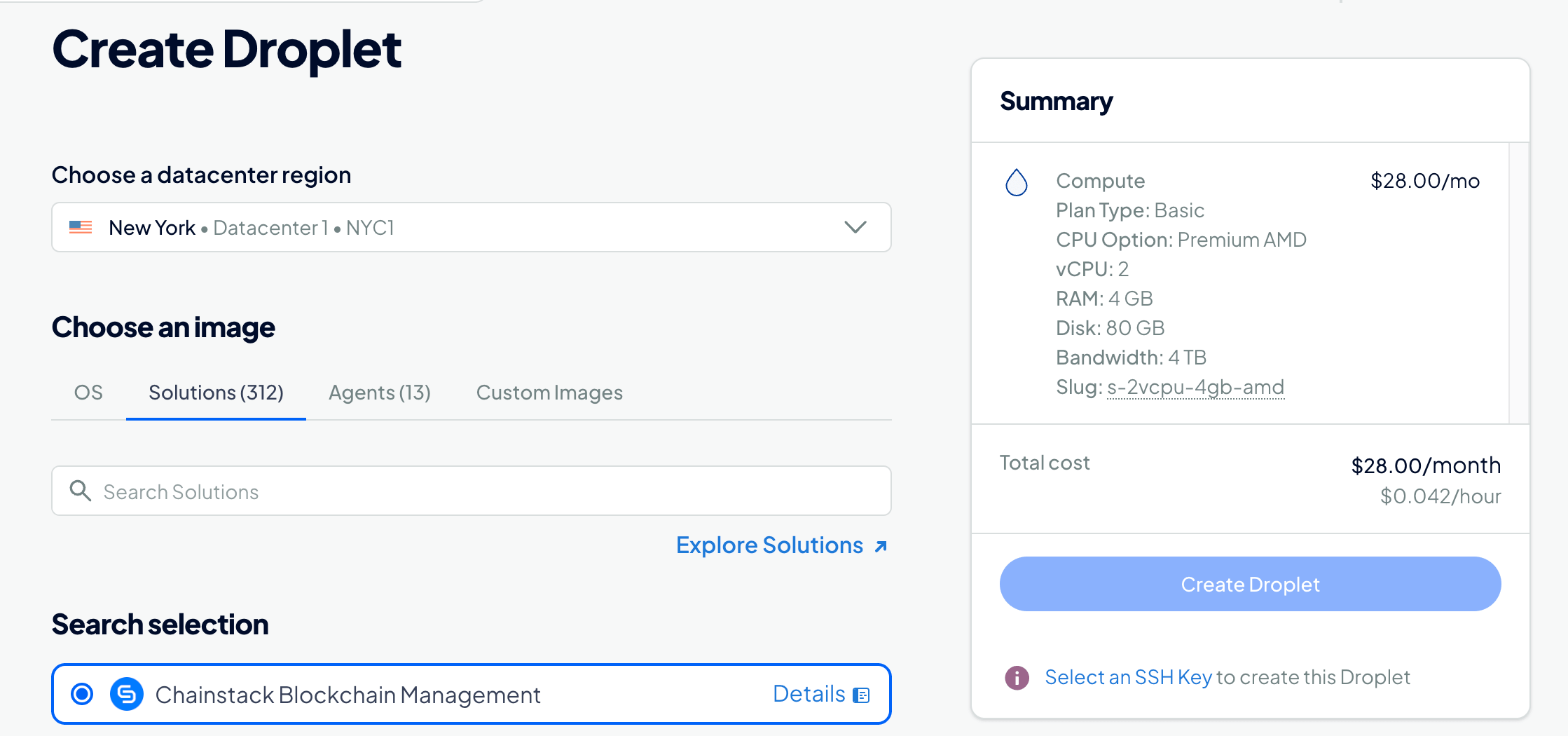
- Open the Chainstack Blockchain Management listing and click Create Chainstack Blockchain Management Droplet.
- Choose a region and a Droplet size that fits the protocols you plan to run. The control panel alone needs 6 CPU cores, 8 GiB RAM, and 15 GB of storage. An Ethereum mainnet node adds roughly 2 TB of fast SSD or NVMe storage (about 4 TB while the snapshot is restored), so plan for attached volumes or a larger plan.
- Once the Droplet is running, open the control panel, pick a network in the deployment wizard, and deploy.
You can also create the Droplet through the DigitalOcean API with the image slug chainstack-chainstackblockc. See the Self-Hosted documentation for the quick start and system requirements for sizing by protocol.

About DigitalOcean
DigitalOcean is a cloud and AI company founded in 2012, with a mission to simplify cloud and AI so builders can spend more time on their software. It serves developers, startups, and small and mid-sized businesses with Droplets, managed Kubernetes, block storage, managed databases, and GPU infrastructure.
Connect with us
- Explore the Self-Hosted documentation
- Start with a free Developer account on Chainstack
- Request a protocol or share feedback on Chainstack Feedback
Want to run blockchain nodes on DigitalOcean?